Configuring Your S2 NetBox Enterprise
Connecting Power and the Network to the NetBox Enterprise
Connecting Power and the Network
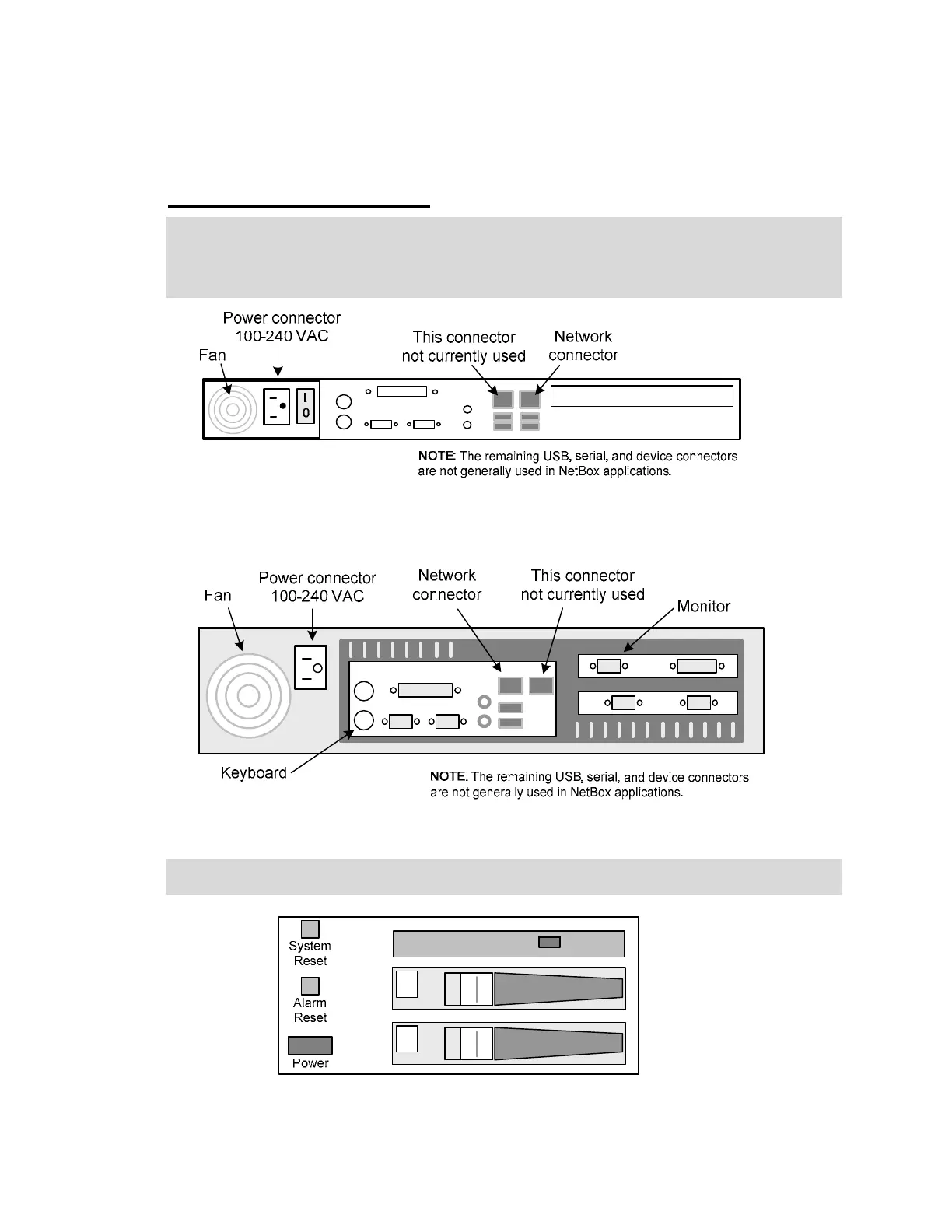
1. Connect a grounded power cord to the power connector on the back of the NetBox Enterprise
or Enterprise Ultra. See the images below.
2. Connect the network cable to the network connector on the back of the NetBox Enterprise or
Enterprise Ultra. Be sure the place the cable in the correct connector as shown below.
The back panel of the NetBox Enterprise, 1U rack mount.
The back panel of the NetBox Enterprise Ultra, 2U rack mount.
3. For the NetBox Enterprise Ultra (2U), open the drive door on the front panel and press the
power switch. See diagram below.
Inside the drive door on the Enterprise Ultra
2



 To Next Page