Reset Switches and Drive Lights
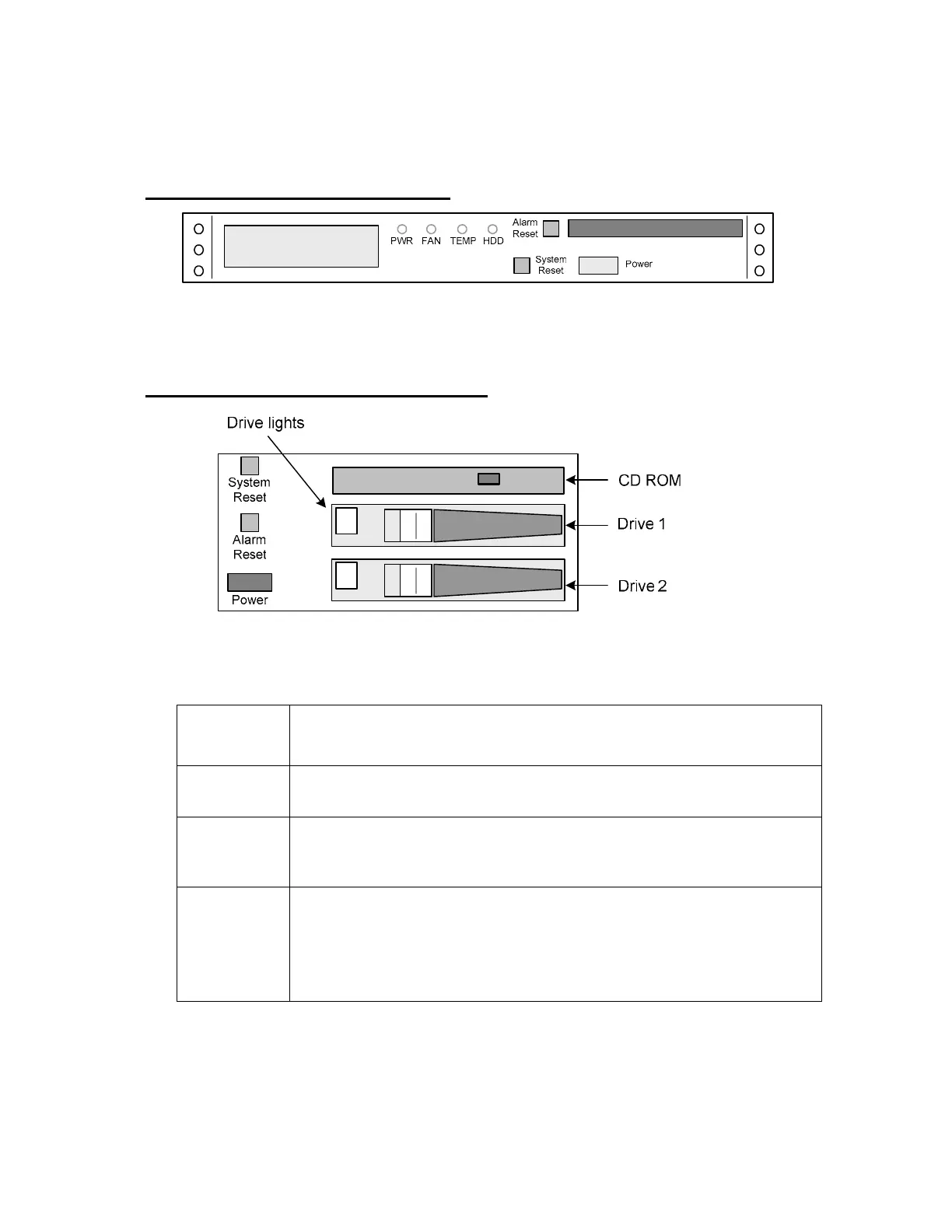
Open the Enterprise Ultra lockable hard drive door, or the Enterprise front cover. See the
images below. The table beneath explains the functions of the switches and drive lights.
Behind the Enterprise Front Cover
Inside the Enterprise front cover.
Behind the Enterprise Ultra Drive Door
Inside the Enterprise Ultra lockable drive door.
Drive Lights
On Green: Drive OK.
Off or On Red: Drive failure
System
Reset
This button restarts the NetBox Enterprise controller processes.
Alarm Reset
The NetBox Enterprise has an audible alarm which sounds when the
power, temperature, or the fan are in an abnormal state. Press this to stop
the audible alarm.
Power
Press and hold for 3 to 5 seconds to force a power off.
NOTE: It is not recommended that the unit be powered down in this way.
To power down the system select Setup : System Maintenance :
Utilities and in the System functions section click the Shutdown Now
button. The NetBox Enterprise will back itself up and power off.
7



 To Next Page