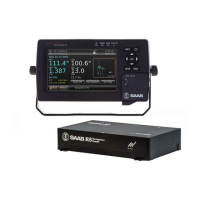
R5 SUPREME - Navigation System
OPERATION
7000 118-301, A3 Page 65
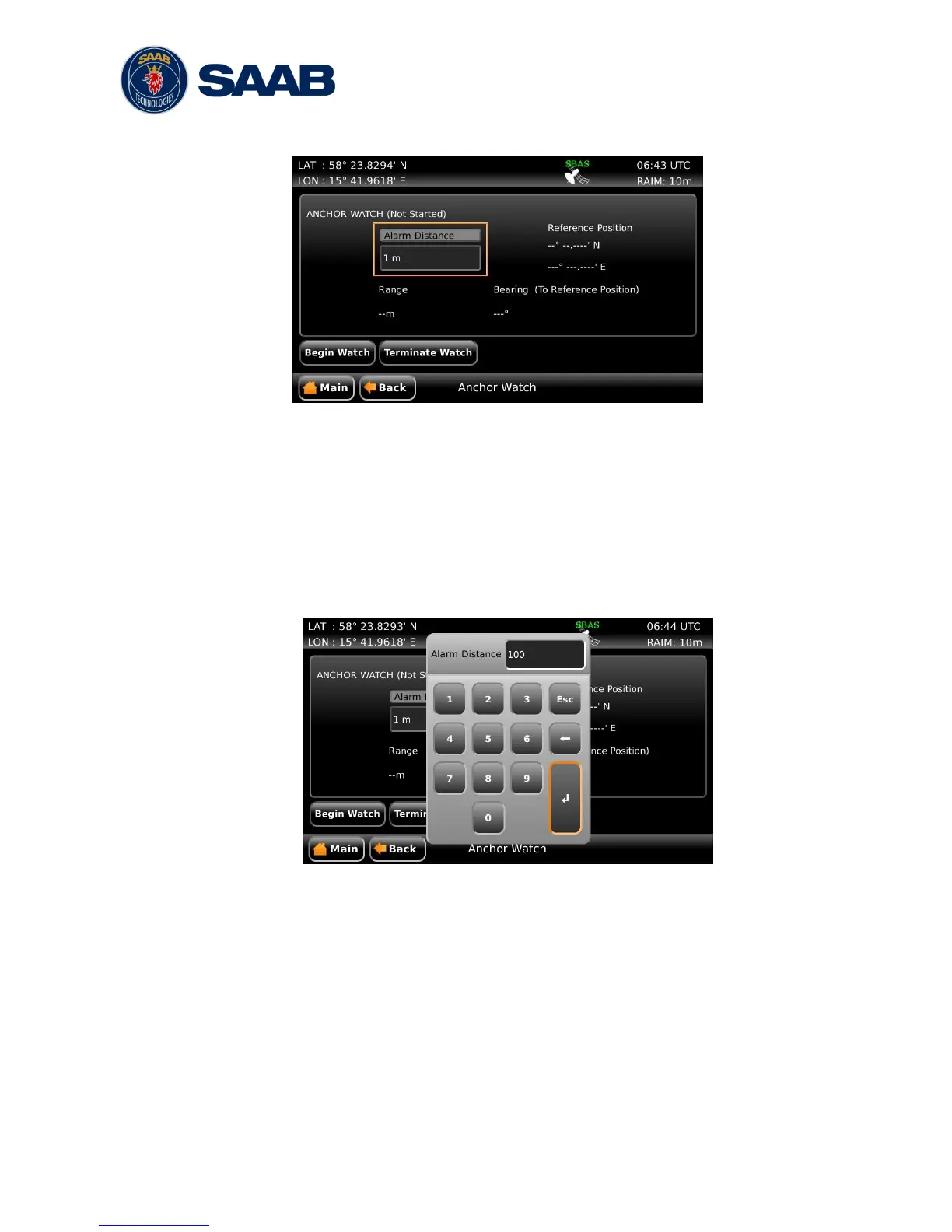
When entering the Anchor Watch view, the following will be displayed:
Figure 29 – Anchor Watch
5.8.2.1 Set Anchor Watch Alarm Distance
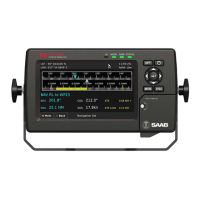
To set the alarm distance, click on the alarm distance edit field (marked with an
orange square in the picture above). A virtual numpad will appear where it is
possible to set the new value for the anchor alarm distance. Press on the enter
button of the virtual numpad when done. The alarm distance must be within 1 to
1500 meters. The unit used for definition of the anchor watch alarm limit as well as
for display of the current range to the reference position is configurable, as
described in section 4.2.9 ―Units‖.
Figure 30 – Input of Anchor Watch Alarm Distance
5.8.2.2 Activate Anchor Watch
Press the ‖Begin Watch‖ button to activate the anchor watch function. The current
position will be captured as the reference position. The distance to the reference
position will be calculated and compared to the configured alarm distance on a
regular basis. The bearing and range from current position to reference position is
displayed and illustrated below.


 To Next Page