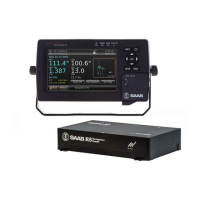
R5 SUPREME - Navigation System
OPERATION
7000 118-301, A Page 71
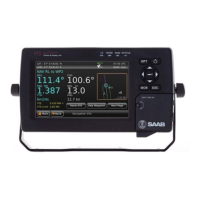
The left part of the Navigation Info view presents current navigation information. In
Figure 40, an example of the Navigation Info view is shown. The information shown of
the left side of the view is explained below:
NAV RL to WP2
This means that the next waypoint in the current route is named ―WP2‖ and we are
currently using the navigation algorithm ―Rhumb Line‖ (RL) to calculate range and
bearing to the waypoint.
BRG
Bearing to the next waypoint.
COG
The ship‘s course over ground relative true north.
Note: COG is based on track angle which requires that the ship is moving. Thus, COG
data is not displayed when the SOG value is below 0.3 knots.
RNG
Range to the next waypoint. The unit for range is configurable in the Units view, see
section 4.2.9.
SOG
The ship‘s speed over ground. The unit for SOG is configurable in the Units view, see
section 4.2.9.
TTW
Time To Waypoint – The estimated time left to next waypoint.
VMG
Velocity Made Good – The velocity component that is pointing towards the next
waypoint. If the COG value is the same as the BRG to next waypoint, the VMG value
will be the same as the SOG as all the ship‘s velocity is heading directly towards the
waypoint.
XTE
Cross track error – The distance between the ship‘s position and the current leg of the
route. If the character ―<‖ is displayed, it means that the ship‘s position is to the left of
the leg and if the character ―>‖ is displayed, the ship‘s position is to the right of the leg.
XTE Limit
The cross track error limit that is used on the current leg. If the cross track error value
exceeds this limit, the XTE alarm will be activated. All the legs of a route will
automatically use the default XTE limit which is configurable in the Navigation
Configuration view, see section 4.2.1. It is also possible to have a special XTE limit on
a certain leg by editing the leg settings. This is described in section 5.8.3.1.
5.8.6.1 Reset XTE
The cross track error can be set to zero by inserting a temporary waypoint at the
current position in the active route. The temporary waypoint will not be saved if the
active route. To reset the cross track error, press the button ―Reset XTE‖.


 To Next Page