EasyManua.ls Logo

SABINE FBX SOLO SL-820 - User Manual

SABINE FBX SOLO SL-820
24 pages
Print Icon
To Next Page IconTo Next Page
Loading...
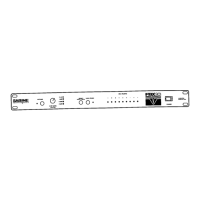
FBX-SOLO Model SM820
FBX-SOLO Model SL820
QUICK START OPERATION
For best results, read all operating instructions
before using the FBX-SOLO (pages 12-19).
1. Patch in the SOLO where appropriate
for your model, and select the input/
output level on the back.
2. With gain down on the input channel,
put the SOLO in Active mode (green
bypass LED), then slowly raise the
channel gain to the point of feedback.
3. Raise the gain slowly until 7 FBX filters
are set, then reduce gain slightly.
4. Adjust the Clip Level on the SOLO, and
you're ready to go.
OPERATING
GUIDE
© 2003 Sabine, Inc.
TABLE OF CONTENTS
Front Panel Description 5
Back Panel Descriptions 6 - 7
Applications for Use 8 - 9
Before you Begin... 10 - 13
Operating Instructions 13
FBX Setup Instructions 14 - 18
Trouble Shooting Tips 18 - 19
Product Specifications 20 - 21
Warranty & Cautions 22 - 23
Question and Answer IconNeed help?

Do you have a question about the SABINE FBX SOLO SL-820 and is the answer not in the manual?

Summary

Quick Start Operation

Precise Feedback Elimination

Frequency Response Comparison

Presents a comparative test of FBX vs. graphic EQ frequency response.

SL820 & SM820 Front Panel Controls

Clip Level Adjust

Describes the front panel knob for adjusting the input signal's clip level.

SL820 Back Panel Operations

SM820 Back Panel Operations

SL820 Applications and Wiring

More SL820 and SM820 Applications

Before You Begin: Setup Fundamentals

Understanding Filter Types

Explains the two types of filters (Fixed and Dynamic) and how they function.

Turbo Mode and Microphone Mobility

Operating Instructions: Initialization

SL820 and SM820 Initialization

Specific setup steps for both SL820 and SM820 models.

FBX Setup Procedure

Completing the FBX Setup

Advanced FBX Features

Engaging the Noise Gate

Explains how to use the selectable noise gate feature for noise reduction.

Troubleshooting Common Issues

Advanced Troubleshooting Scenarios

Product Specifications Overview

Detailed Product Specifications

Safety Warnings and Precautions

One-Year Limited Warranty Details

SABINE FBX SOLO SL-820 Specifications

General IconGeneral
Channels1
Frequency Range20 Hz - 20 kHz
Filter Bandwidth1/10 octave
Maximum Input Level+20 dBu
Maximum Output Level+20 dBu
Maximum Gain Reduction40dB
Input Impedance20 kOhms balanced
Dimensions1.75 inches

Related product manuals