5
PRODUCT DESCRIPTION
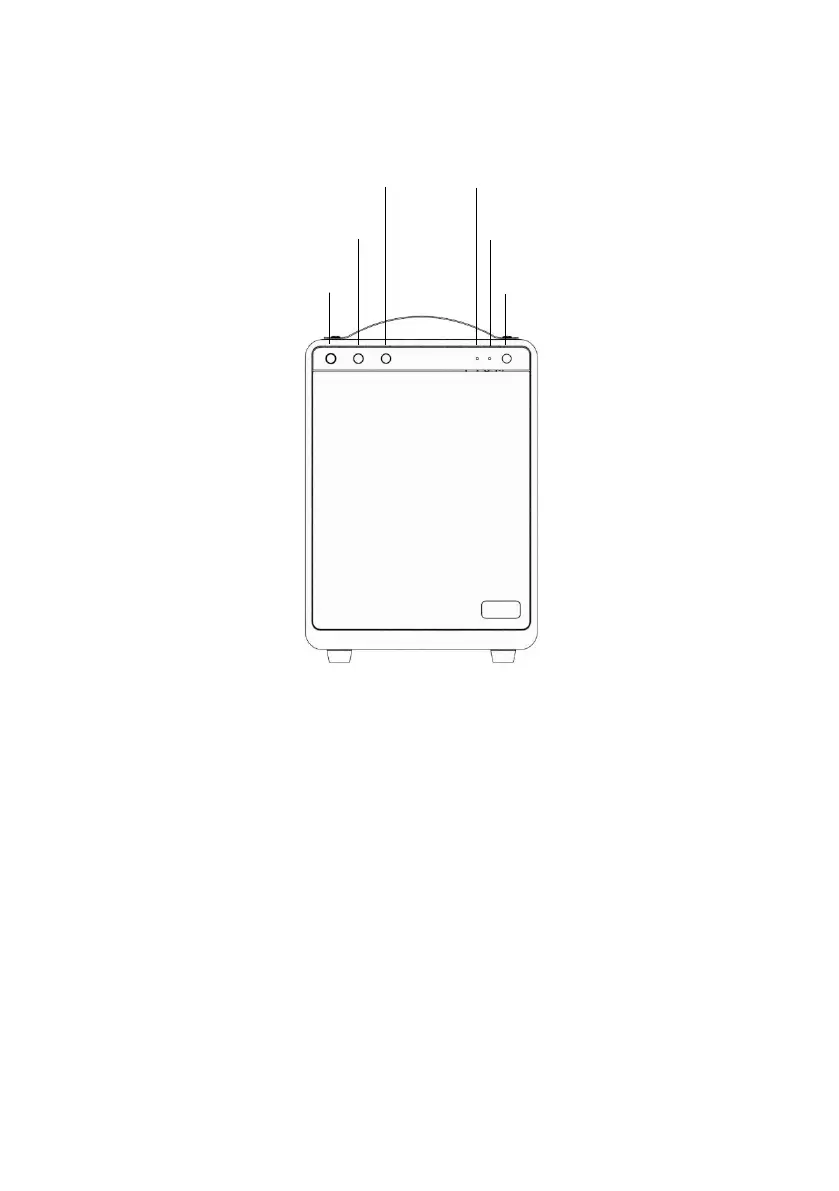
Front:
• Volume/ON dial: Switch speaker on/off and control volume. Turning
clockwise increases volume and vice versa.
• Bass dial for controlling bass level. Recommended start setting is with
indicator facing upwards.
• Treble dial for controlling treble level. Recommended start setting is
with indicator facing upwards.
• Bluetooth/AUX LED. Blue blinking = searching for Bluetooth unit. Blue
constant light = connected to Bluetooth unit. Green constant light =
receiving line in signal through ‘Line in/out’.
• Power LED. When charging:
o Constant red light = charging.
o No light = Unit turned on, unit turned off or no charging of


 To Next Page