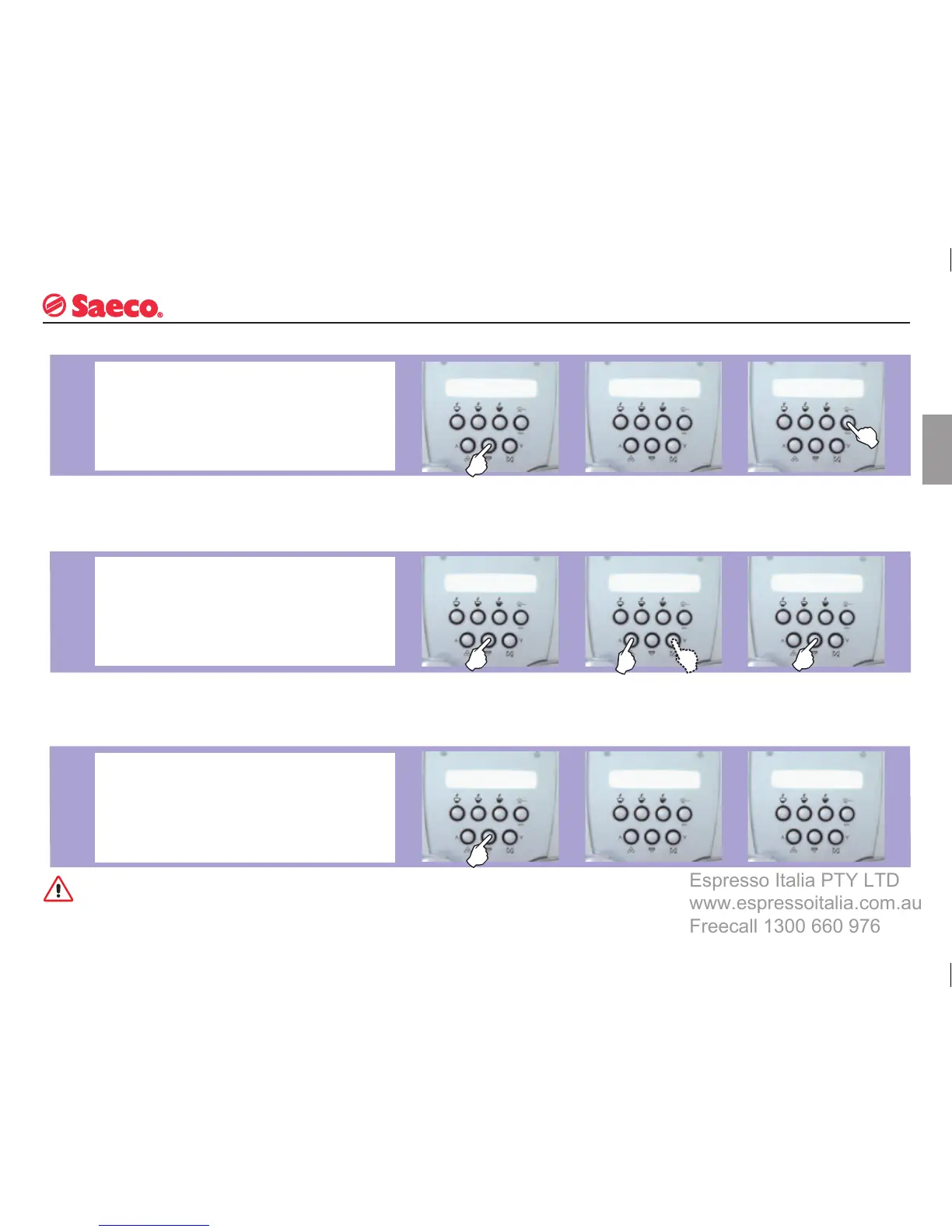
This function enables the user to see how many coffees the
machine has already dispensed.
TOTAL
COFFEE
PROGRAMMING MACHINE FUNCTIONS
This is a factory-set function that automatically switches the
machine into “Standby” when 3 hours have elapsed since a
coffee was dispensed.
TIMER
RINSING
CYCLE
The switch-off time can be adjusted, in 15-minute intervals,
to a minimum of 15 minutes; the function cannot be
deactivated.
The
display will show the
number of coffees the
machine has dispensed.
Press
“ESC” to exit the
menu.
When
the function ap-
pears, select it using the
“OK” button.
Use
the buttons to adjust
the timer setting.
When
the function ap-
pears, select it using the
“OK” button.
Press
the “OK” button to
confi rm your choice.
This function is used to rinse all the coffee-dispensing parts
with water.
Fill the tank with fresh drinking water.
The rinsing cycle cannot be interrupted.
A
person must be present during this operation.
Warning: a large quantity of water may be discharged from the
coffee brew unit. Before starting, empty out the drip tray and
keep an additional container handy.
The machine will carry out
a rinsing cycle.
When
the cycle is
completed this message
will be displayed:
When
the function ap-
pears, select it using the
“OK” button.







 To Next Page