37
ENGLISH
37
4
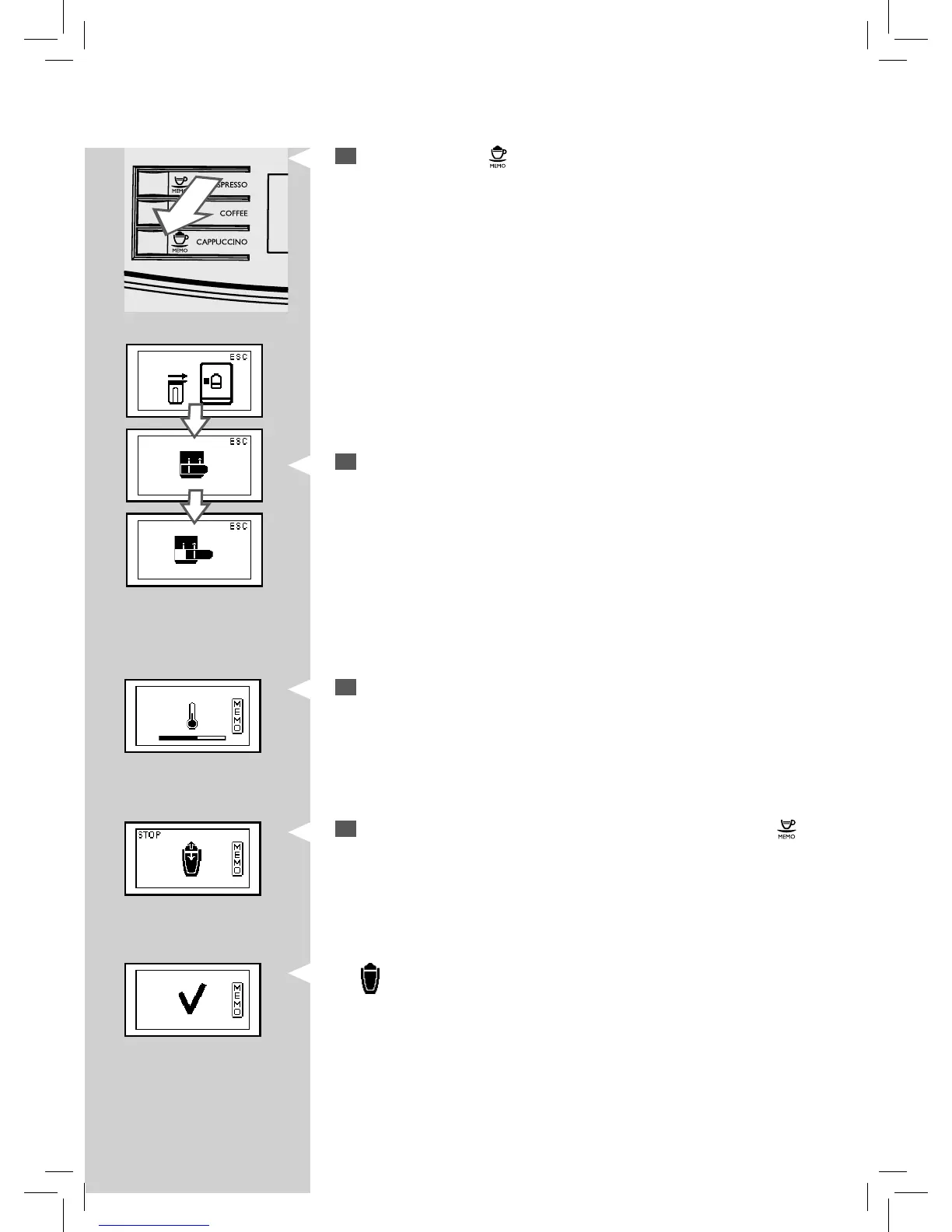
Press and hold the “ ” button to select frothed milk until the “MEMO”
icon appears on the display. Then release the button. The machine is
now in programming mode.
5
The machine reminds you to insert the carafe and remove the milk
carafe dispenser by showing the following icons.
GreenGreenGreen
6
This icon is displayed during the preheating time required by the
machine.
GreenGreenGreen
7
When the desired amount of frothed milk is reached, press the “ ”
button.
The
button is now programmed. Every time it is pressed, the machine
will brew the same amount of frothed milk that was programmed.







 To Next Page