English
23
6
6.3Operating in normal user
mode
66
The layout and arrangement of theicons/screens in this
manualisindicativeonlyandmayvaryfromthose
displayedontheappliance,dependingonthesettings
(layouts,themes,and/oricons).Whenoperating
normally,theappliancedisplaysthescreenwiththe
availableselections.Intheeventthatananomalyis
detectedbythecontrolelectronics,amessagewillbe
displayed,indicatingthefault/error.Someselections
maybedisabledwhencertaintypesoffaultsoccur
(e.g.productcontainersempty,etc.).Withsomeof
thepersonalisedsettings(i.e.movingthebeveragesto
adifferentplace)someselectionsmaynotbe
displayed: simply scroll through the screen.
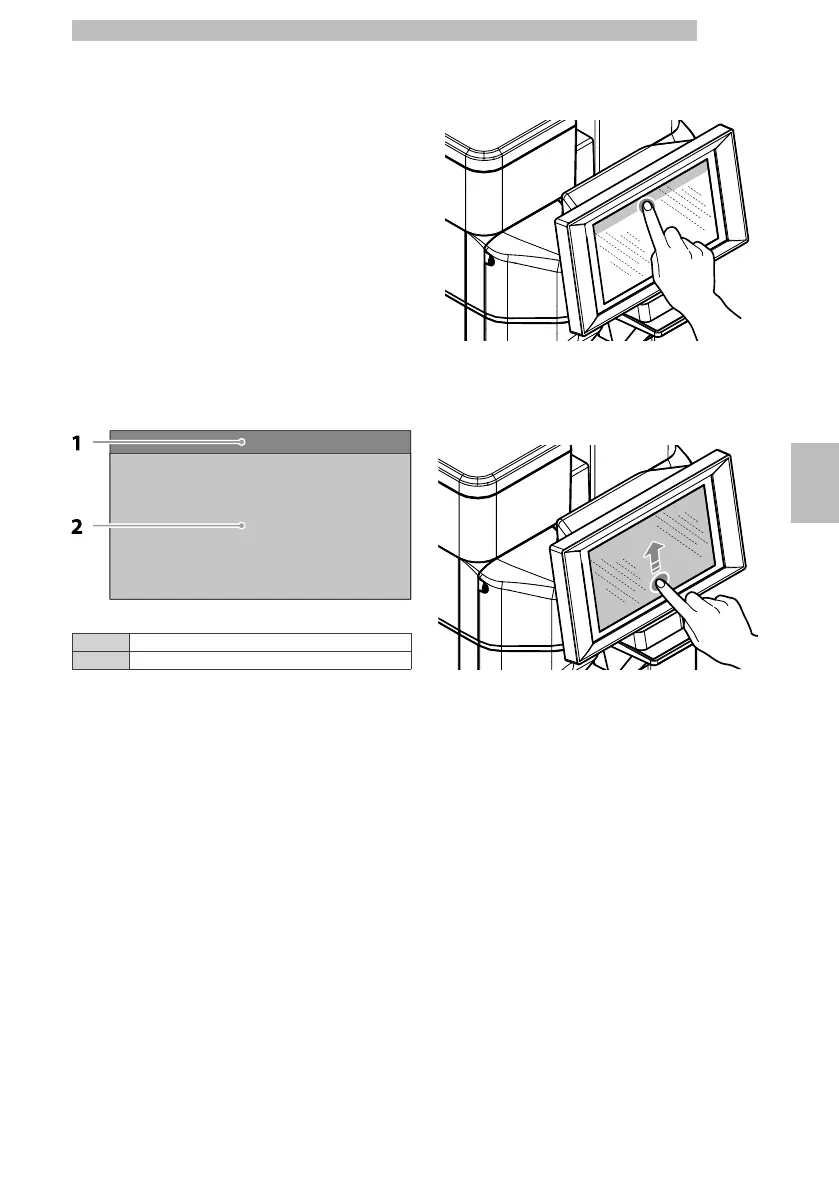
6666666
1Status panel
2Beverage selection area
6666
6.3.1Status panel
6
Theappliancestatuscanbedisplayed(e.g.faults,etc.)
via the status panel.
66
The status panel:
6
•
Displays fault/error notifications
6
•
Displays the nutritional information of the selections
6
•
Allowsthelanguageofthedisplayedmessagestobe
changed
6
•
Displays the notice to fill the trays and containers
6
•
Displays the available wash functions
6
•
Provides access to the programming menu
66
Display
the
status
panel
in
detail
6
Taptheiconsshownintheupperpartofthe
touchscreen.
66666
Close
the
details
of
the
status
panel
6
Drag the bottom of the status panel upwards.
66666
6.3.2Beverage selection area
6
Selectabeverage.Thescreenwiththebeverage
customisations can be displayed.
66
Whilstthebeverageisbeingprepared,thebeverage's
preparationstatusisshown.alternativelyitispossible
to see the entertainment contents (e.g. a video).
66
Ifenabledinmenu,itispossibletostopabeverage's
preparation.
66










 To Next Page