INTEGRA/-S/-G/-GS User Manual WEB GUI
SAF Tehnika JSC
Main page
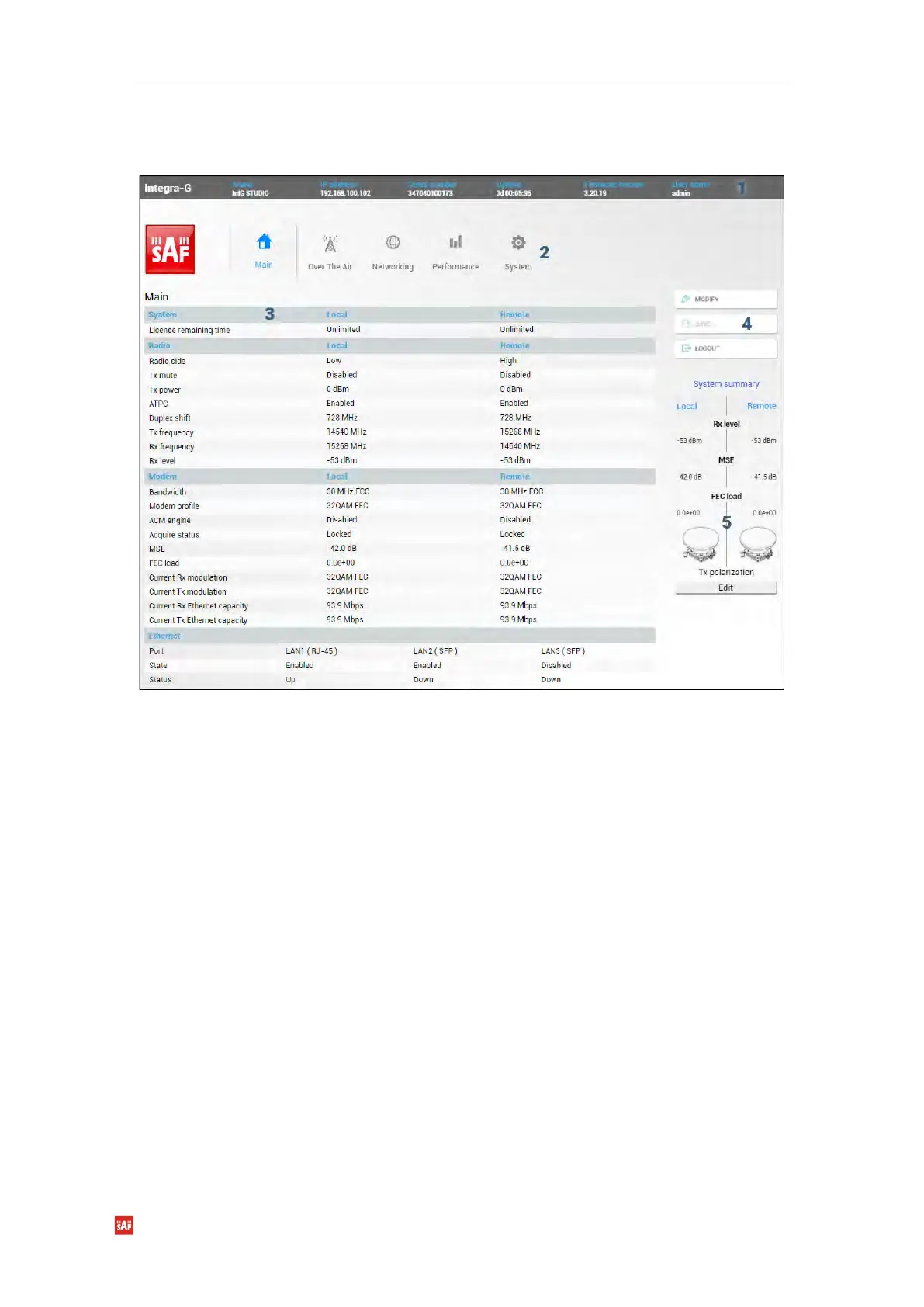
After login you will be automatically redirected to the Main page of the Web GUI:
Web GUI is divided into 5 sections:
Shows information about the Integra/Integra-S/Integra-G/Integra-GS FODU you are
connected to including:
• Model name
• System name
• IP address
• Serial number
• Uptime
• Firmware version
• User name
Allows navigating between the Main page (“Main”) and subpages of 4 sections:
• Over the air (Radio/modem (NP) configuration)
• Networking (Ethernet configuration)
• Performance
• System
By default, the Main page (“Main”) is shown. Contents will change according to the menu
panel selection.



 To Next Page