3.3.1.3. EXAMPLES
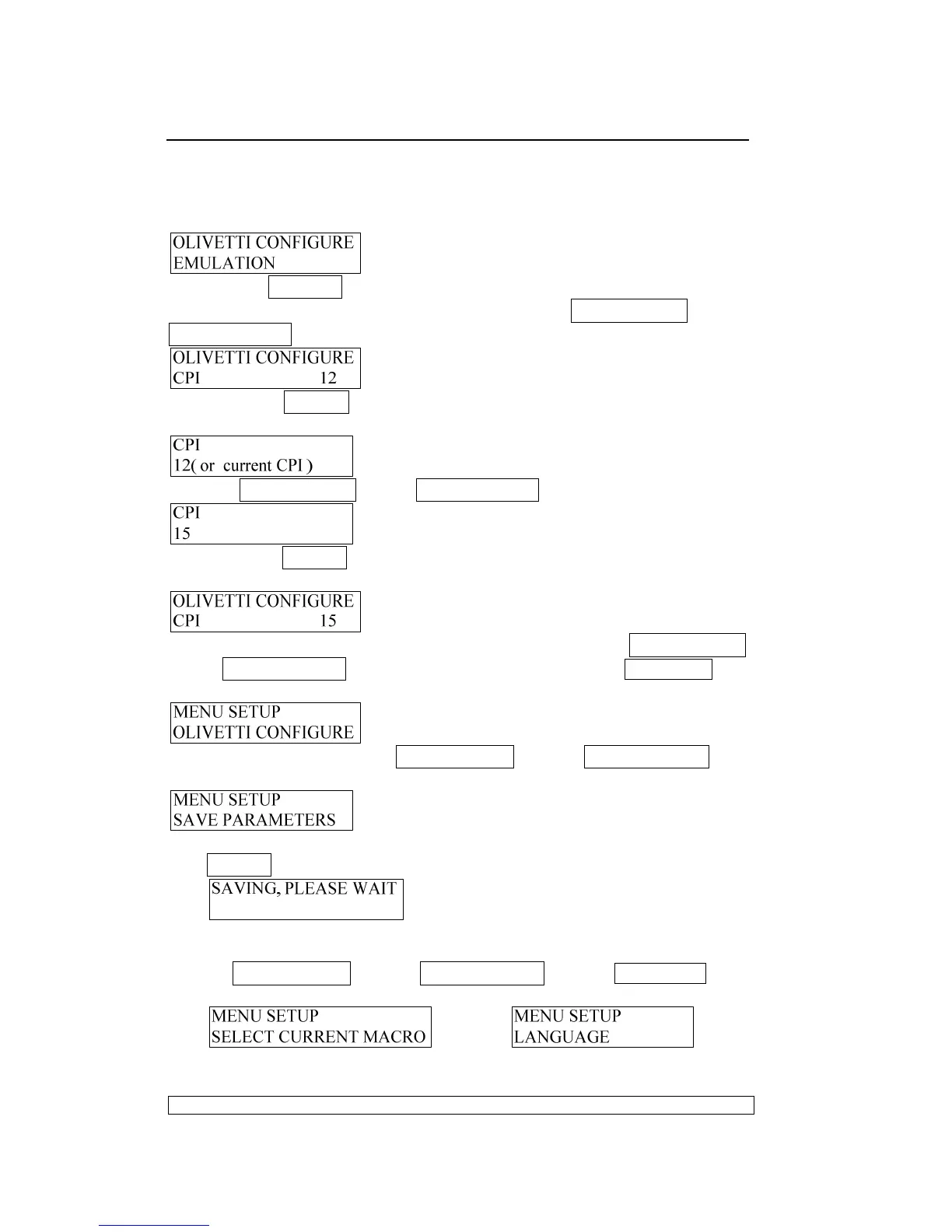
For example, we will modify 15CPI of OLIVETTI emulation.
After module selected, it will enter the OLIVETTI module, LCD shows:
If pressing STOP ▉ key, enter the parameter’s setup of OLIVETTI
emulation, if you want to modify CPI, pressing COMPRESS▼ key or
FEED/EJECT▲ key, until the LCD shows:
After pressing STOP▉ key to make sure your operation, it will enter the
parameter’s selection, the LCD will show:
Pressing COMPRESS▼ key or FEED/EJECT▲ key, until the LCD shows::
After pressing STOP▉ key , the printer will save the modified parameters
(into the RAM) and return to the upper level, LCD show::
Then, if you want to setup other parameters, you can press COMPRESS▼
key or FEED/EJECT▲ key to switch. Otherwise, pressing STATION 2 key
until the LCD show:
After switching by pressing COMPRESS▼ key or FEED/EJECT▲ key
continuously, enter the “SAVE PARAMETERS” item, the LCD will show:
◆ If you want to save the modified parameter into the Flash, pressing
STOP▉ key, the printer will save parameter, and LCD shows:
After parameters saved, the printer will reset automatically.
◆ If you do not want to save the modified parameters
press COMPRESS▼ key or FEED/EJECT▲ key or STATION 2 key,
enter other items. The LCD shows:
or or



 To Next Page