3.3.2. MENU PRINT
NOTE:
Menu print will print all the macros’ menu parameters, the current macro
will be remarked by the sign “*”.
Menu printing just print the configuration and the emulation that selected
by current macro.
To the interface, PNS and other relative items’ parameter, it will
remarked by the “----” to indicate that these items are not selected by
the macros except the current macro.
Using shortcut key to print menu: Pressing STATION 2 key and hold it
down then power on the printer, after it resets, Insert the A4 sheet, the
printer will print current menu parameters.
3.3.2.1. DESCRIPTION
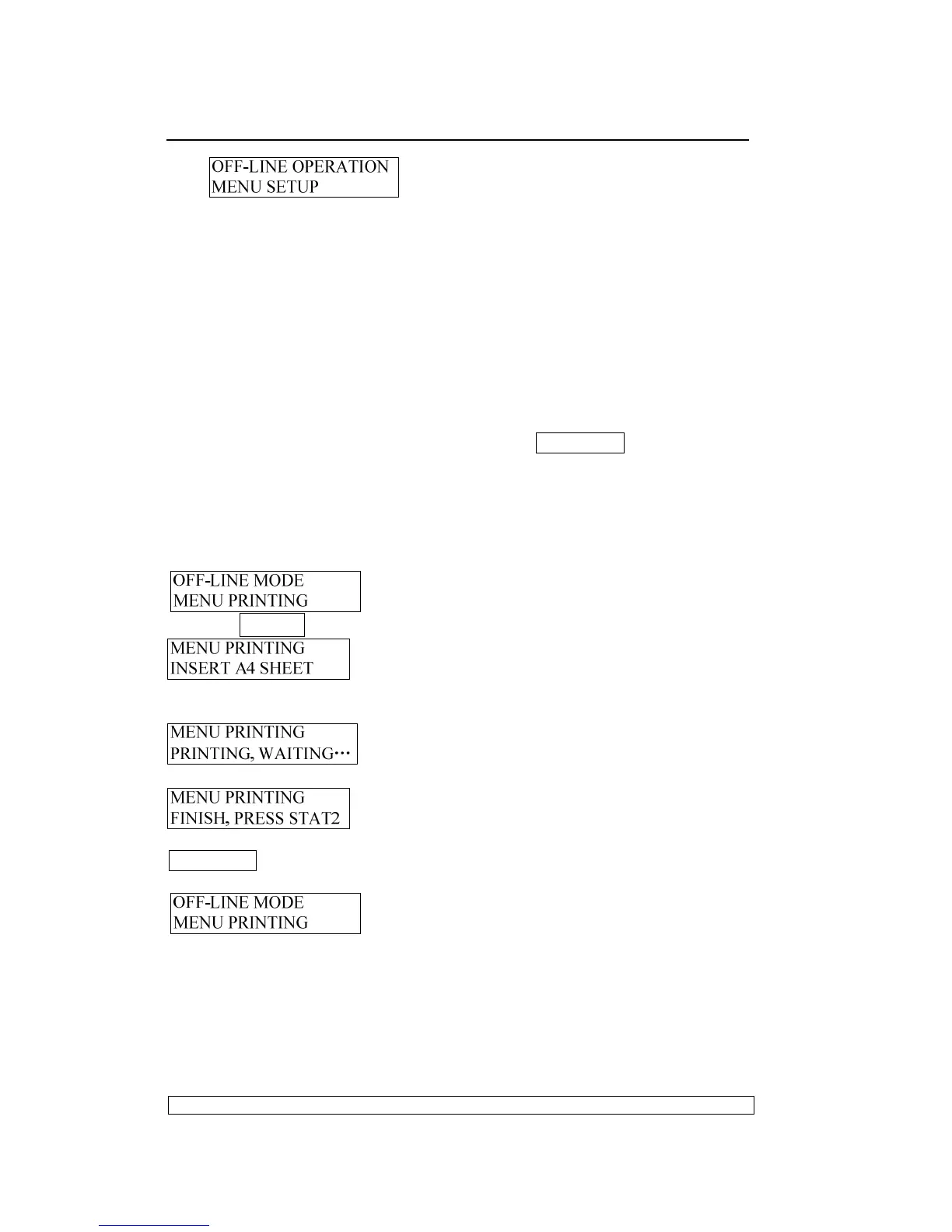
Entering the off-line operation, selecting Menu PRINTING, LCD will show:
Pressing STOP▉ key to accept, LCD shows:
After the paper inserted, the printer will feed the paper automatically, LCD
shows:
After printing finished, the paper will be ejected automatically, LCD shows:
And now, if you insert A4 sheet again, it will print menu again; if pressing
STATION 2 key, it will exit the Menu printing and enter the sort selection of
off-line operation, LCD shows:
Now you can select other operations you want.
The sample of Menu printing:



 To Next Page