PDM20 Series
-8-
Chapter 1 Operation Panel
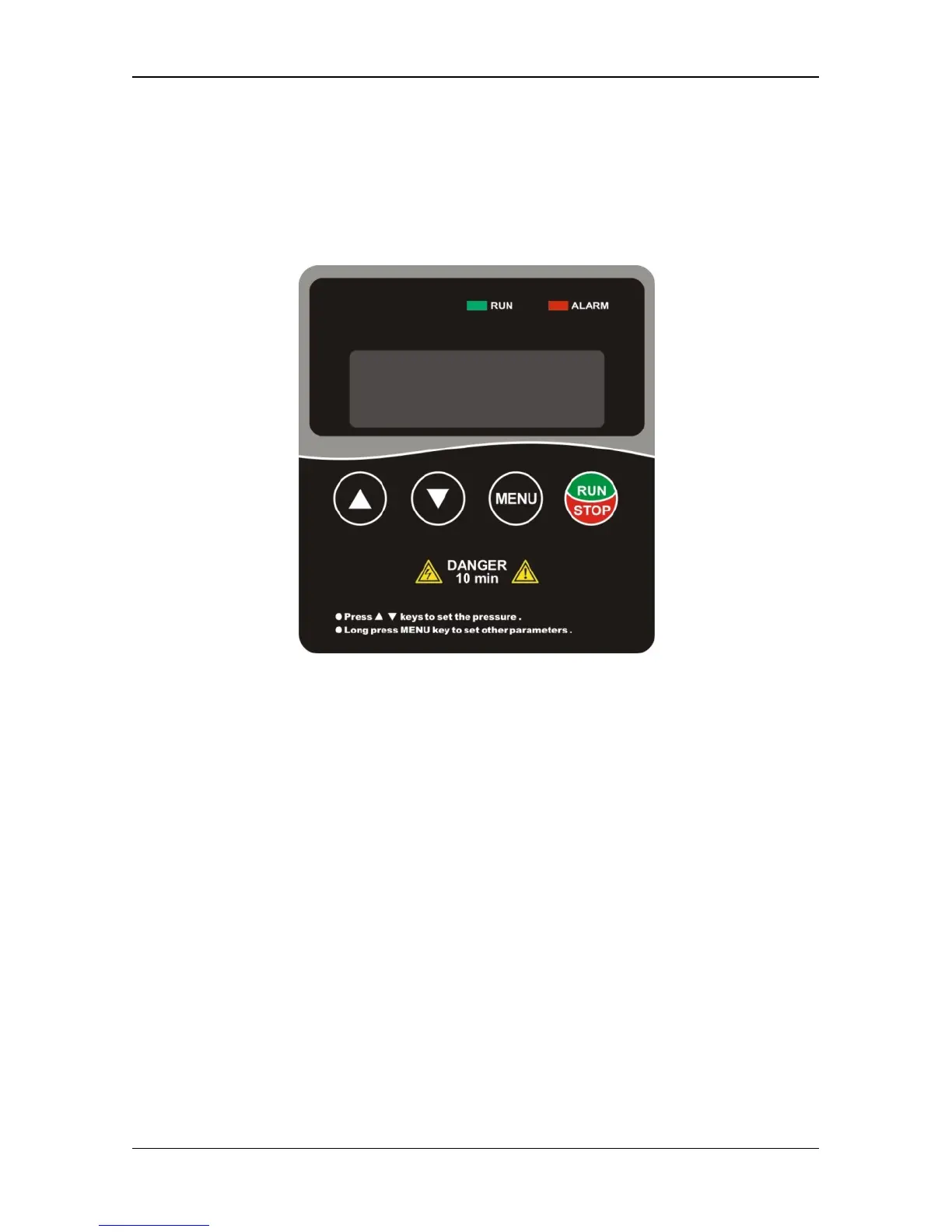
1.1 Operation Panel Diagram
(1) ▲▼keys: Used to setting pressure values, switching parameters display and
modifying parameters. In the “stop” status, it can be used to modify the pressure
setting; In the “running” status, it can be used to switch running frequency,
pressure setting and feedback pressure back and forth.
(2) “MENU”: Pressing it for two seconds to transfer parameter mode from status
display mode.
(3)“RUN/STOP”: In status display mode without unacknowledged alarm, used as
start and stop switch button between running and stop; When an alarm arise and
fault code is displayed, used to acknowledge and reset alarm;In parameter setting
mode, used to enter menu and confirm parameter setting.


 To Next Page
 Loading...