EasyManua.ls Logo

Sakura Tissue-Tek DRS 2000 - User Manual

Sakura Tissue-Tek DRS 2000
3 pages
Print Icon
To Next Page IconTo Next Page
Loading...
Staining
Tissue-Tek® DRS™ 2000
Quick Reference Guide
Tissue-Tek® DRS™ 2000
Sakura Finetek Europe B.V. | Flemingweg 10a, 2408 AV Alphen a/d Rijn | NL
Phone: +31 (0) 88 592 00 00 | Fax: +31 (0) 88 592 00 01 | sakura@sakura.eu | www.sakura.eu
Start Up
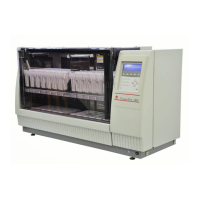
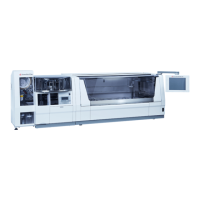
The Tissue-Tek
®
DRS™ 2000 Automatic Slide
Stainer is an automated, random-access stainer
which simultaneously carries out multiple staining
protocols. The DRS 2000 features a two-level
design which efficiently moves slides to various
solutions for optimal performance.
Tissue-Tek
®
DRS™ 2000
System preparation for staining
From the Main Menu:
1. Press {EDIT}
2. Press {MORE}
3. Press {NAMES}
4. Press {SOLN+} or {METHOD+}
5. Use arrow keys (ꜛꜜ) to select desired
characters, then press {ENTER}
6. Press {SAVE}
7. Press {EXIT} after creating a name
8. Press {EXIT} when completed
9. Press {EXIT} to return to the Main Menu
Main Menu
Question and Answer IconNeed help?

Do you have a question about the Sakura Tissue-Tek DRS 2000 and is the answer not in the manual?

Summary

System Preparation for Staining

Accessing System Settings

Navigate system menus to access settings for naming protocols and system configuration.

Staining Operations

Assigning Solutions to Stations

Procedure for assigning specific staining solutions to designated instrument stations.

Editing a Staining Program

Steps to create or modify a staining program by setting station numbers and timings.

Starting a Staining Method

Instructions for initiating a staining run, including basket placement and mode selection.

Interrupting or Cancelling a Stain Process

Guide on how to pause, abort, and safely remove samples during a staining run.

Adding and Starting a Basket

Process for adding a basket set and starting a new staining batch.

Ending a Staining Run

Steps for safely removing the basket set after a staining run is completed.

End of Day Procedures

Tasks to perform at the end of the day, including reservoir preparation and powering off.

Maintenance Schedule

Daily Maintenance Tasks

Routine cleaning of exterior/interior surfaces and washing stations.

Weekly Maintenance Tasks

Cleaning of solution reservoirs and slide baskets.

Bi-monthly Maintenance Tasks

Action required for replacing activated carbon filters.

Monthly Maintenance Tasks

Cleaning of drying stations and their components.

Yearly Maintenance Tasks

Schedule for preventive maintenance performed by a service engineer.

Summary

System Preparation for Staining

Accessing System Settings

Navigate system menus to access settings for naming protocols and system configuration.

Staining Operations

Assigning Solutions to Stations

Procedure for assigning specific staining solutions to designated instrument stations.

Editing a Staining Program

Steps to create or modify a staining program by setting station numbers and timings.

Starting a Staining Method

Instructions for initiating a staining run, including basket placement and mode selection.

Interrupting or Cancelling a Stain Process

Guide on how to pause, abort, and safely remove samples during a staining run.

Adding and Starting a Basket

Process for adding a basket set and starting a new staining batch.

Ending a Staining Run

Steps for safely removing the basket set after a staining run is completed.

End of Day Procedures

Tasks to perform at the end of the day, including reservoir preparation and powering off.

Maintenance Schedule

Daily Maintenance Tasks

Routine cleaning of exterior/interior surfaces and washing stations.

Weekly Maintenance Tasks

Cleaning of solution reservoirs and slide baskets.

Bi-monthly Maintenance Tasks

Action required for replacing activated carbon filters.

Monthly Maintenance Tasks

Cleaning of drying stations and their components.

Yearly Maintenance Tasks

Schedule for preventive maintenance performed by a service engineer.

Sakura Tissue-Tek DRS 2000 Specifications

General IconGeneral
TypeAutomated Slide Stainer
Staining MethodsH&E, special stains
Reagent ManagementAutomated reagent handling
ControlTouchscreen interface
Power Requirements100-240 VAC, 50/60 Hz

Related product manuals