Need help?
Do you have a question about the Sakura Cyto-Tek 2500 and is the answer not in the manual?
Defines the purpose of the Cyto-Tek® 2500 Cytocentrifuge for transferring cells.
Describes the instrument as a self-contained unit for transferring cells onto glass slides.
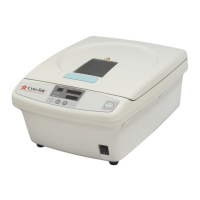
Details the components and figures of the Cyto-Tek 2500 Cytocentrifuge.
Lists technical specifications including power, dimensions, capacity, and operating conditions.
Outlines safety standards compliance and key safety features of the instrument.
Provides guidance on selecting a location, unpacking, and installing the instrument.
Details the conditions necessary for optimal performance and safe operation.
Lists the accessories typically found in the carton upon delivery.
Provides step-by-step instructions for carefully removing the instrument from its packaging.
Details the standard accessories included with the instrument and available options.
Lists and describes the standard accessories provided with the Cyto-Tek 2500 Cytocentrifuge.
Lists optional accessories and consumables available for the instrument.
Provides instructions on what to do if accessories are missing or damaged.
Outlines the basic workflow for using the Cyto-Tek 2500 Cytocentrifuge.
Explains how to create and customize programs for the instrument.
Details the process of preparing specimen chambers and dispensing samples.
Provides instructions on correctly loading the rotor for balanced operation.
Guides the user on how to power on and begin an operational cycle.
Explains how to safely stop the instrument during or after operation.
Describes the procedure for an immediate emergency shutdown of the instrument.
Details the steps for safely removing the guard bowl unit after operation.
Emphasizes routine maintenance for trouble-free operation and instrument longevity.
Instructions for cleaning the instrument's control panel.
Guidelines for cleaning the external surfaces of the instrument.
Step-by-step guide for disassembling and cleaning the guard bowl unit.
Details the cleaning and decontamination of specific chamber components.
Information on when and how to replace gaskets for optimal function.
Recommends professional inspection and maintenance for the instrument.
Instructions for cleaning the spindle to ensure smooth operation.
Instructions for safely unlocking the lid during a power outage.
Outlines steps to take when the instrument displays an error code.
Lists common problems, causes, and recommended solutions for instrument issues.
Details specific error codes related to lid locking mechanisms.
Lists problems and remedies not covered by specific error codes.
Provides contact information and procedures for obtaining service.
Guidance on what to do when encountering instrument problems not solved by troubleshooting.
A checklist to gather information before contacting service.
Lists part numbers for replacement components.
Information on how and where to order accessory items and parts.
General overview of safety procedures and hazard classifications.
Identifies critical hazards that could result in death or serious injury.
Highlights potential hazards that may lead to serious injury to operators.
Points out potential hazards that could cause minor injury or instrument damage.
 General
| Number of stations | 12 |
|---|---|
| Processing Stations | 12 |
| Capacity | 12 slides |
| Temperature Range | Ambient |
| Power Supply | 100-240 V, 50/60 Hz |

 To Next Page