22
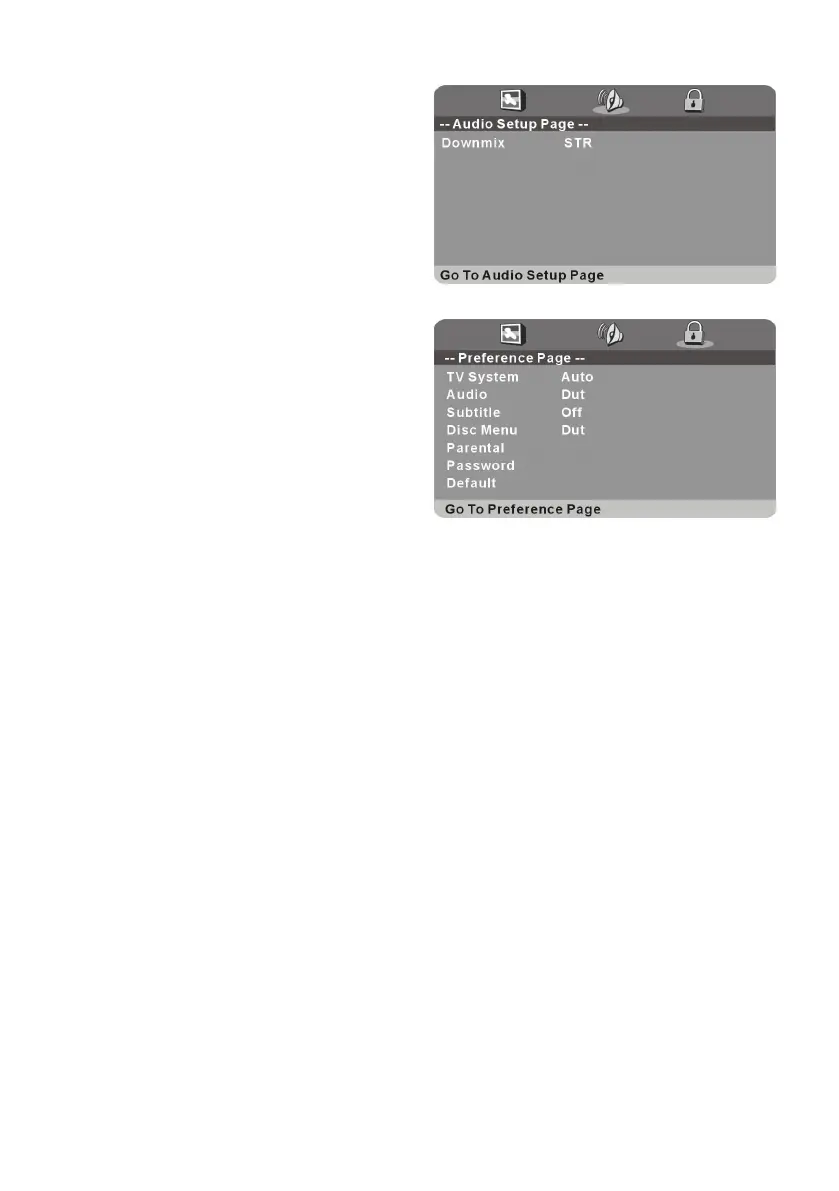
2. AUDIO
Downmix - It is used to select desired audio
output mode.
Options:
a) LT/RT-Left/Right mix mode
b) STEREO
3. PREFERENCE
3.1 TV System - Select desired TV system.
3.2 Audio - Select desired audio language, if
your disc contains multiple audio languages.
3.3 Subtitle - Select desired subtitle
language, if your disc contains multiple
subtitle languages.
3.4 Disc Menu - Select desired language of your disc menu, if your disc menu contains
multiple MENU languages.
3.5 Parental - Select desired program rating.
3.6 Password - Change the password. Input the password using number buttons on remote
control.
NOTE: The factory default password is “0000”, you can change it, but you should write it
down and keep it safe.
3.7 Default - It is used to reset to factory settings.














 To Next Page