25
● The unit contains different setting menus. Once the initial programming is entered, it will
be remained in the memory until change, and the unit can always be operated under the
same conditions.
● The settings will be remained in the memory until the settings are changed ever after
setting the player to standby mode.
Common procedure for initial settings
- Press MENU button on remote control to display the main menu.
- Press LEFT/RIGHT navigation button to select submenus.
- Press UP/DOWN navigation button to select the option that you want to adjust.
- Press OK or RIGHT navigation button to enter submenu page.
- Press navigation buttons to select/adjust option to desired value. Then press OK button to
confirm selection.
- Press MENU button to return to previous menu page.
- Press EXIT button to exit menu page.
TV MODE
- Press TV/AV button on unit top or remote control to switch this unit to TV mode.
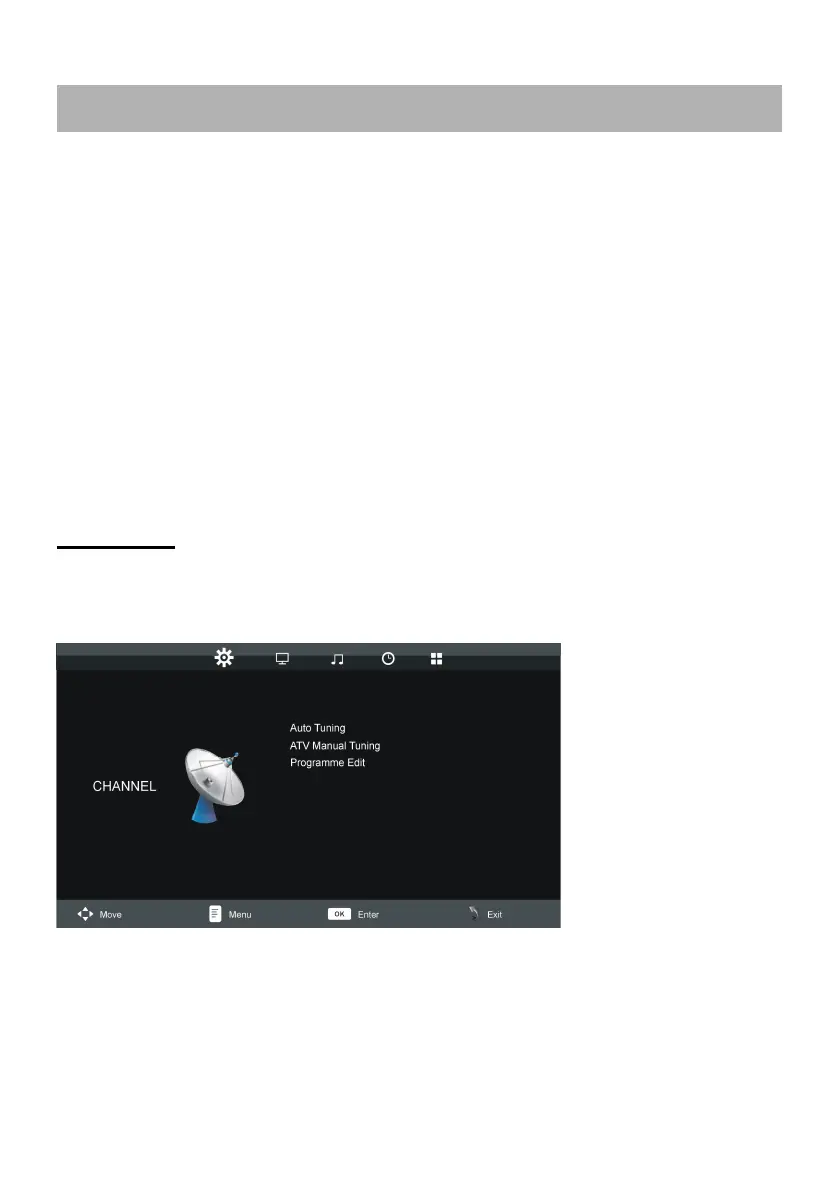
1. CHANNEL
1.1 Auto Tuning
- Press UP or DOWN navigation button to select this item, and then press OK button to start
auto channel tuning.
MAIN MENU









 To Next Page