24
SOUND SETTING
- Press NICAM/A2 button on remote control repeatedly to select desired soundtrack.
NOTE: In different channels, pressing NICAM/A2 button may have different options.
INFORMATION DISPLAY
- Press DISPLAY button on remote control to display related information of your channel,
including channel number, color system, sound system and so on.
TELETEXT
When displaying available teletext:
- Press TEXT button on remote control to display the teletext.
- Press HOLD button on remote control to hold the teletext.
- Press PGUP button on remote control to display previous page.
- Press PGDW button on remote control to display next page.
- Press INDEXT button on remote control to display the index.
- Press SIZE button on remote control repeatedly to switch teletext size.
- Press REVEAL button on remote control to hide or display hidden characters.
- Press SUBPAGE button on remote control to enter subpage.
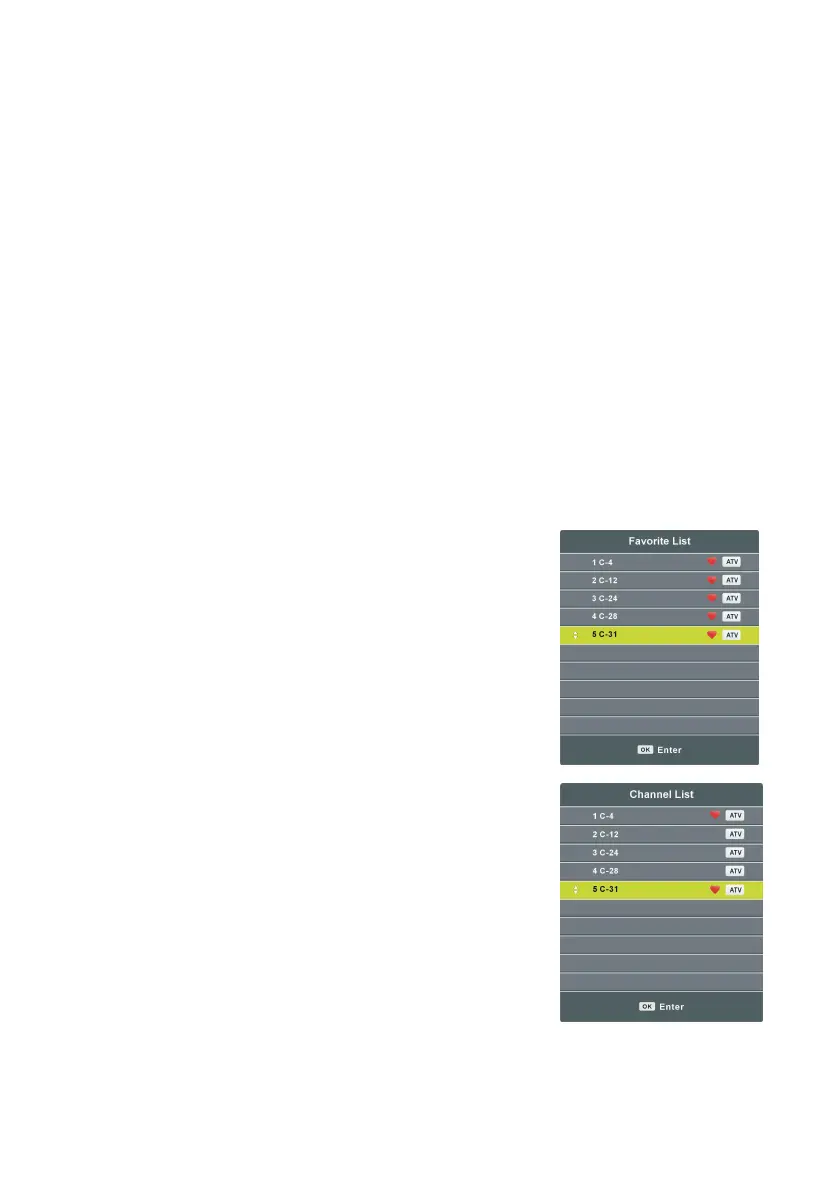
FAVORITE LIST
- Press FAV button on remote control to display the Favorite
List.
- Press UP/DOWN navigation button to select a favorite
channel, and press OK button to watch it.
QUICK SELECTION
- Press OK button on remote control to display the Channel
List.
- Press UP/DOWN navigation button to select a channel, and
press OK button to watch it.






 To Next Page