
 Need help?
Do you have a question about the Salora SMART48LED-Wifi and is the answer not in the manual?
Important instructions before installing or operating the TV.
Explains symbols for safety, electrical, and laser hazards.
Warnings about battery ingestion and electrical hazards.
Precautions for wall mounting and safe TV placement.
Information on energy saving and environmental friendliness.
Lists the TV's main functionalities and capabilities.
Lists items supplied with the TV.
Explains messages displayed when TV enters standby.
Operating the TV using side buttons and the remote control.
Connecting power, antenna, and selecting input sources.
Installing remote batteries and license details.
Details TV broadcasting, resolution, power, and dimensions.
Guidance on responsible disposal of electronics and batteries.
Technical specifications for wireless transmission.
Regulations for wireless network usage in different countries.
Detailed explanation of each button on the remote control.
How to assign custom functions to My Button 1 & 2.
Illustrations and descriptions of various TV connection ports.
Precautions for USB limits, HDMI cables, and module insertion.
Steps for turning the TV on/off and initial setup.
How to search for digital and analogue TV broadcasts.
Playing files from USB and using timeshift recording.
How to record live TV and watch recorded content.
How to start recording a program immediately.
Slow forward, loop/shuffle modes for media playback.
Settings for recording and using the media browser.
Streaming to mobile devices and controlling CEC/ARC equipment.
How to find and use the electronic manual.
Setting picture mode, contrast, brightness, sharpness, colour.
Adjusting energy saving, backlight, and advanced picture settings.
Specific picture adjustments for PC input.
Controlling volume, equalizer, balance, and sound modes.
Configuring headphone volume and audio output options.
Language, privacy, parental controls, timers, date/time.
Network settings, accessibility, audio description, subtitles.
Software upgrade, auto TV off, store mode, audio video sharing.
Automatic/manual tuning, network scan, analogue fine-tune.
Installation settings, clearing lists, factory reset.
Power modes, virtual remote, CEC, speakers, OSS.
Managing channel lists, favorites, and filtering.
Setting parental locks and using the Electronic Programme Guide.
EPG layouts, event options, and teletext services.
How to search for and install TV software updates.
Solutions for TV not turning on, poor picture, or no sound.
Troubleshooting remote, input selection, and recording issues.
Addressing slow USB drive speed during recording.
Supported resolutions and frequencies for PC input.
Compatibility of various signals across AV and HDMI inputs.
Lists supported video file types and image formats via USB.
Details on supported audio codecs, bit rates, and sample rates.
Lists supported internal and external subtitle formats.
Table showing supported DVI resolutions and frequencies.
Steps to establish a wired network connection for the TV.
Guide to setting up and connecting to a wireless network.
Steps to connect, test, and manage wireless networks.
Solutions for wireless network problems and playback disruptions.
Troubleshooting internet connection and audio/video sharing.
Instructions for setting up and playing shared media via network.
How to navigate and utilize the internet portal features.
Displaying portal content in a Picture-in-Picture window.
Using the web browser, Speed Dial, and search functions.
Visiting websites, compatibility, and using a USB mouse.
Summary of product specifications and compliance information.
Details on hole patterns, screw sizes, and thread for VESA mounting.
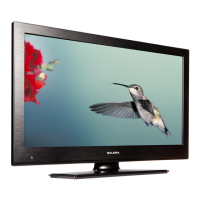
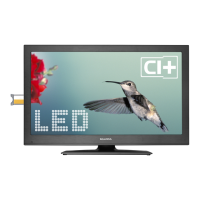
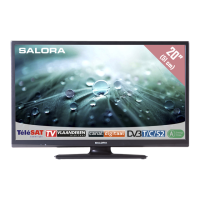
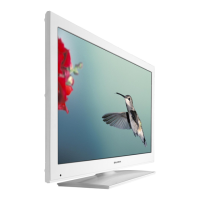



 To Next Page
 General