
 Need help?
Do you have a question about the Salora SMART32LEDW and is the answer not in the manual?
Essential safety guidelines for operating the TV, including cautions and important notes.
Explanation of warning, caution, and information symbols used in the manual.
Details on energy saving modes and standby notifications for the TV.
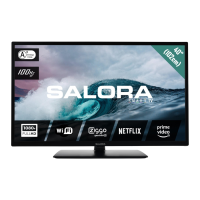
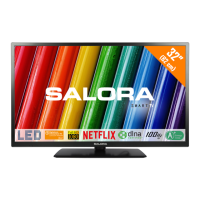
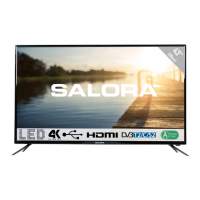
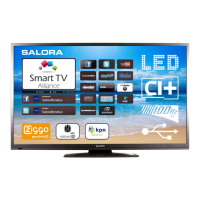
Overview of TV features, included accessories, and physical control buttons.
Instructions for connecting power and guidance on product disposal.
Information regarding HDMI, Dolby, and DLNA logos and trademarks.
Description of Teletext and Digital Teletext features and operation.
Detailed description of remote control buttons and their functions.
Guide on how to assign custom functions to the 'My Button' features.
Information on various input ports and required cables for device connections.
Steps for initial TV setup, including language, channel tuning, and installation modes.
Connecting USB devices for media playback and basic recording functions.
Detailed guide on recording, timeshifting, playback, and media browsing.
Settings for recording and accessing media files via the Media Browser.
Information on FollowMe TV, E-Manual, CEC, and Quick Menu functionalities.
Basic adjustments for picture mode, contrast, brightness, sharpness, and colour.
Detailed settings for advanced picture quality enhancement.
How to reset picture settings to factory defaults.
Adjusting volume, equalizer, sound modes, and audio output settings.
Configuration options for language, parental controls, timers, and sources.
Settings for audio description, auto TV off, CEC, and other smart features.
Procedures for automatic and manual channel scanning.
Managing the channel list and setting parental restrictions.
Using the TV guide to view programme schedules and options.
Setting programme timers and recording schedules.
Methods for updating the TV's software via broadcast signal or user interface.
Troubleshooting steps for power, picture, sound, and remote control problems.
Resolving issues with input sources, USB speed, and recording failures.
Guide to connecting the TV to a network using an Ethernet cable.
Instructions for connecting the TV to a wireless network using a Wi-Fi dongle.
Configuring Wi-Fi settings, managing network profiles, and troubleshooting.
Connecting to mobile devices for content sharing and wireless display.
Solutions for common wireless and wired network connection issues.
Using DLNA for media streaming and Nero MediaHome installation.
How to use the TV's built-in internet portal and its applications.
Notes on using the PIP window while accessing the internet portal.
Supported resolutions and refresh rates for PC input.
Compatibility of AV and HDMI signals with the TV.
List of supported video, audio, and picture file formats for USB playback.
Table of supported DVI resolutions when connected via HDMI converter.
Guide to navigating the web browser, shortcuts, and managing history.
A summary of the TV's key technical specifications and energy ratings.
 General
| Screen Size | 32 inches |
|---|---|
| Resolution | 1366 x 768 pixels |
| Display Type | LED |
| Smart TV | Yes |
| HDMI Ports | 2 |
| USB Ports | 2 |
| Operating System | Android |
| Wi-Fi | Yes |
| Display Resolution | HD |




 To Next Page