BEFORE FIRST USE
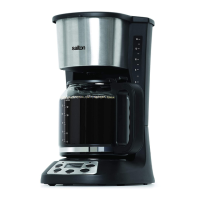
Wash the Carafe, Filter Holder and Permanent Filter in warm soapy
water. Rinse thoroughly and dry. Wipe the Main Housing with a soft
damp cloth. Do not immerse the Main Housing in water or any other
liquid.
Prior to brewing coee for the rst time run the machine with water only.
Follow the directions in the HOW TO USE section omitting the coee
and Permanent Filter.
HOW TO USE
To Set the Clock
1. Plug into a 120 Volt AC wall outlet.
2. Press the PROG Button once and the word CLOCK will appear in
the upper right of the display.
3. Turn the Dial while the hour is ashing to select the hour. To set the
minute, wait for the minute to ash and turn the Dial to select the
minute. Once the minute has been set, press the PROG button 3
times or wait until the display is no longer ashing.
Immediate Brewing
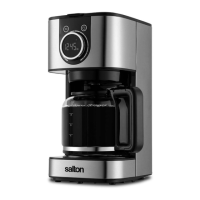
1. Lift the Lid and ll the Water Reservoir with fresh cold water for the
desired number of cups. Fill the Water Reservoir by lling the Carafe
and pouring water into the Water Reservoir.
NOTE: Do not ll above the maximum Water Line (10) or less than
the minimum Water Line (4) indicated on the Carafe and Water
Reservoir.
2. Remove the Reusable Filter and ll with the desired amount of
ground coee.
NOTE: Use coee that is ground specically for automatic drip
coee makers. Usually one Coee Measuring Scoop or a level
tablespoon of ground coee is used for each cup of coee. Adjust
the amount to your personal taste.
3. Reposition the Reusable Filter and close the Lid.
NOTE: If the Lid does not close completely, ensure that the Filter
Holder and Reusable Filter are properly seated in position.
4. Place the Carafe with Lid on the Keep Warm Plate. NOTE: To use
the Bold Setting function, hold the PROG button for 3 seconds.
The Bold Setting Indicator (two coee beans), will illuminate in the
bottom right of the Display when this setting is engaged. To turn o
this setting, hold the PROG button for 3 seconds.
4


 To Next Page