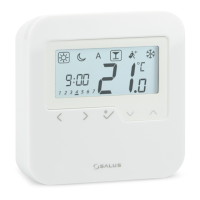
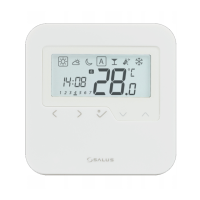
The SALUS HTRP230 is a wired digital thermostat designed to provide customizable heating and cooling control for your home. This device features a stylish design with a large, easy-to-read LCD screen and one-touch buttons, allowing for simple adjustment of your home's temperature to create a comfortable environment.
Function Description
The HTRP230 thermostat is primarily used for controlling room temperature within a house. It operates by allowing users to set desired temperature profiles for different times of the day and week, ensuring efficient energy use and personalized comfort. The thermostat can be wired directly to a KL08NSB wiring centre or to an actuator, providing flexible integration into existing heating and cooling systems.
The device supports various operational modes, including:
- Heating Control: Configurable for PWM (Pulse-width modulation) or ON-OFF control with selectable hysteresis (0.5°C or 1.0°C).
- Cooling Control: Also configurable for ON-OFF control with selectable hysteresis (0.5°C or 1.0°C).
- Room Temperature Offset: Allows for calibration of the displayed room temperature to correct for any measurement errors.
- Sensor Options: Supports an external OUT sensor probe (S1/S2) which can be connected or disconnected. The thermostat can be configured to use either the internal (IN) sensor or the external (OUT) sensor for temperature control, with options for floor protection when an external floor sensor is used.
- Valve Protection: An optional feature that can be enabled or disabled to protect the system's valves.
- Frost Protection: Activates to prevent temperatures from dropping too low, with a configurable setpoint. This feature is not available in cooling mode.
- Program Profiles: Offers five default program profiles that can be selected and customized for different days of the week (5 days for Monday to Friday, and 2 days for Saturday and Sunday). These profiles allow users to schedule specific heat and cool setpoints at different times.
- Heat/Cool Mode Selection: Determines whether the thermostat operates in heating or cooling mode, or if it can automatically switch between them.
- Cooling Blocked: A feature that can disable the cooling function for single rooms until a heating command is received. When cooling is blocked, no special indicator is displayed on the LCD screen, and the ice flake icon is turned off.
- Actuators Loading Selection: Allows for compensation based on the number of actuators connected (from 1 to 5), optimizing performance for different system configurations.
Usage Features
The HTRP230 is designed for intuitive user interaction, with a clear LCD display and tactile buttons.
Setting Date and Time:
Upon initial power-up, users will need to set the date and time. This involves:
- Navigating to the time setting screen.
- Adjusting the hour using the up/down buttons and confirming.
- Selecting the 12/24 hour format and confirming.
- Setting the minutes using the up/down buttons and confirming.
- Setting the date (day and month) using the up/down buttons and confirming.
The date and hour can also be accessed by a long press of the OK button.
Setting Programs:
Users can customize their heating and cooling programs by:
- Entering the program setting screen.
- Selecting the desired program slot (e.g., Program 1 for Monday-Friday).
- Setting the start time for the program using the up/down buttons and confirming.
- Setting the desired temperature setpoint (e.g., Sunny for comfortable, Moon for low comfortable) for both heating and cooling, and confirming.
- Repeating the process for all desired program slots and days.
The thermostat offers five default program profiles, which can be overwritten and edited in the User Setting Mode (option d17 in Installer Mode).
Operational Modes:
- Party Mode: Allows for a temporary override of the current program for a set duration (up to 9 hours and 50 minutes). Users can select the duration for Party Mode. To exit, navigate to a different program. The countdown automatically resets to 0 once Party Mode ends.
- Vacation Mode: Sets the thermostat to a specific temperature for a specified number of vacation days. This mode ends when it reaches day 0, and the device reverts to Auto Mode.
- Frost Mode: Activates frost protection, maintaining a minimum temperature to prevent freezing. Users can select this mode and adjust the frost protection temperature.
Temperature Offset:
This feature allows users to fine-tune the temperature reading displayed by the thermostat.
- Long press the OK button to enter Settings Mode.
- Press the OK button to enter the Temperature Offset setting.
- Adjust the offset value between -3°C and +3°C using the up/down buttons and confirm.
Button Functions:
- Mode Selection Button: Used to cycle through different operational modes. A long press returns to the home screen without saving changes.
- OK Key: A short press confirms a selection. A long press saves changes and returns to the home screen. Another long press can enter the Temperature offset Heat/Cool setting.
- Up/Down Buttons: Used to decrease or increase the Setpoint Temperature or navigate through options.
- LCD Backlight: The LCD backlight is activated by pressing any key.
Maintenance Features
The HTRP230 includes features for system maintenance and troubleshooting:
Installer Mode:
This advanced mode allows competent persons to customize the thermostat's deeper settings to suit specific installation requirements. To enter Installer Mode:
- Press the indicated keys together for 3 seconds.
- Select P49 to enter Installer Mode.
- Confirm the selection.
- Once in Installer Mode, users can select various options (d0 to d20) to configure parameters such as heating/cooling control type, sensor usage, valve protection, frost setpoint, time format, daylight saving time, temperature limitations, floor sensor protection limits, preset program selection, heat/cool mode selection, cooling blocked status, and actuators loading selection. These settings are crucial for optimizing the thermostat's performance within the installed system.
Resetting the Thermostat:
If needed, the thermostat can be reset to its factory settings:
- Press the indicated keys together for 3 seconds.
- Select P47 to initiate the factory reset.
- Confirm the selection.
This action will revert all customizable settings to their default values, which can be useful for troubleshooting or reconfiguring the device from scratch.
The SALUS HTRP230 is designed to be a reliable and user-friendly solution for managing home climate, offering both basic temperature control and advanced customization options for installers.

 Need help?
 General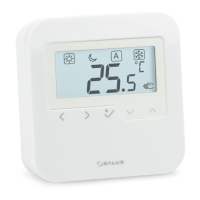

 To Next Page