IT800WIFI
INSTALLATION, CONNECTIONS & TROUBLESHOOTING GUIDE
www.saluscontrols.comIT800WIFI - INSTALLATION, CONNECTIONS & TROUBLESHOOTING GUIDE
Issues (See Quick Guide @ Saluscontrols.com)
Thermostat is not paired to receiver. Press LHS pinhole for 3 seconds and add thermostat via app.
Receiver is not paired to router. Press RHS pinhole for 3 seconds and add gateway via app.
Thermostat app tile is grey.
Re-charge battery (24 hours) using charging cable and dock.
Move thermostat closer to the receiver or add SALUS smart plug.
Receiver app tile is grey.
Check receiver has correct power.
Check internet router is powered.
Check router rewall settings .
Fit WiFi booster between router and receiver.
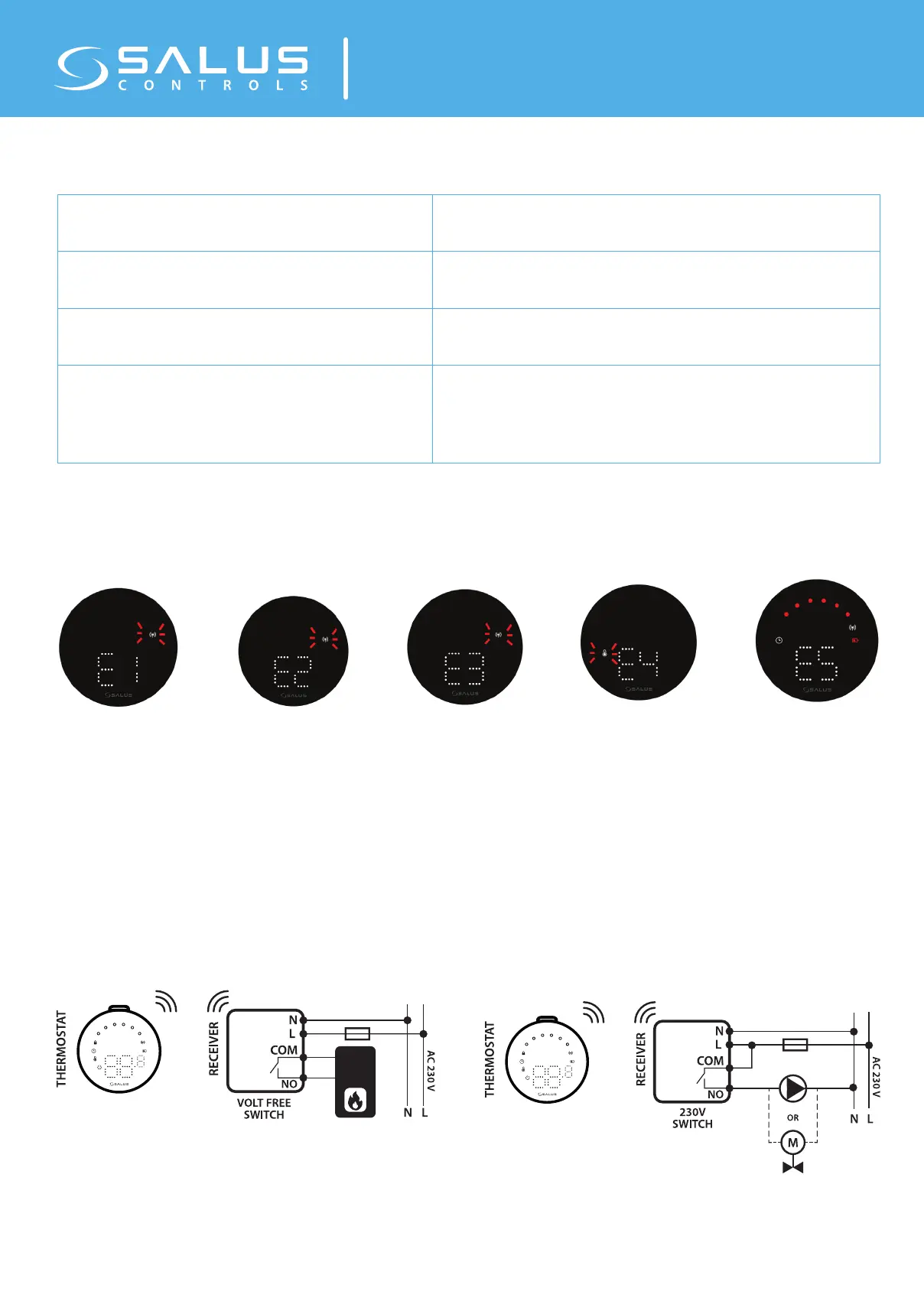
Error Codes (See Quick Guide @ Saluscontrols.com)
E1 Error – thermostat or
receiver has been factory
reset. Please re-pair units
using Zigbee pinhole under
receiver.
E2 Error – Thermostat has
lost temporary pairing with
receiver. Recharge thermo-
stat / check receiver is pow-
ered on. Move thermostat
closer to receiver.
No power at Receiver =
grey app tiles plus E2 status
E3 Error – Lost link with a
Salus SR600 smart relay or
Salus SP600 smart plug.
Check power at SP/SR.
Re-pair SP/SR to network.
E4 Error – Temperature
sensor issue. Check ther-
mostat is operating inside
normal temperatures 0 to
35C, dry conditions.
E5 Error – Low battery er-
ror. Re-charge thermostat
using charging dock for 24
hours.
Wiring Diagram (See Quick Guide @ Saluscontrols.com)



 To Previous Page