5
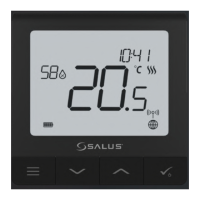
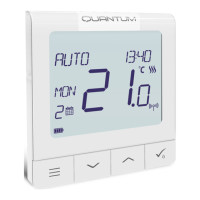
Buttons Description Buttons Description
1) Menu button / Return button.
2) In the MAIN SCREEN: Press and hold for 3 sec to change the thermostat operating mode
(Schedule mode / Permanent mode / Temporary override mode).
3) In the SETTINGS SCREEN:
Press and hold for 3 sec to go back without saving the changes.
4) In the PAIRING SCREEN (in SYSTEM TYPE Menu): Press and hold for 3 sec to see other
pairing options.
+
In the MAIN SCREEN - press and hold these buttons together for 3 seconds to LOCK / UNLOCK
the Thermostat keys).
“Up” Button (Increase parameter value/moving on the menu in ‘UP’ direction)
„Down” Button (Decrease parameter value/moving on the menu in ‘DOWN’ direction)
1) “OK / Tick” Button (Conrm parameter value / Go to the next menu / Save settings)
2) In the MAIN SCREEN: Press and hold for 3 seconds to enter Standby mode
3) In the SETTINGS SCREEN: Press and hold for 3 sec to go back to the MAIN SCREEN & SAVE all the changes.
Button Function
Español Deutsch
Português
English



 To Next Page