8
3. Before you start (rst power up)
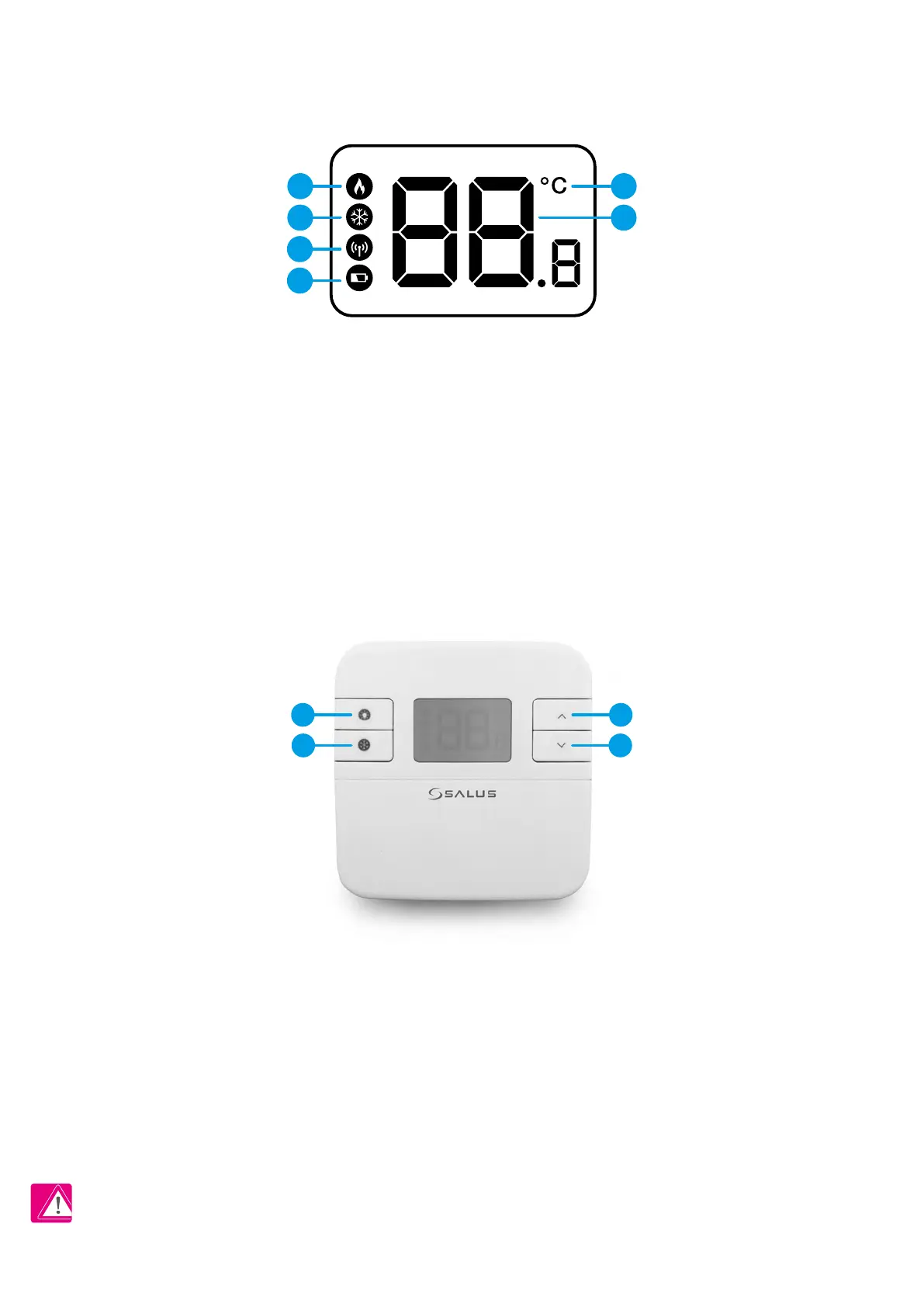
3.2 Button description
3.1 LCD icon description
1. Heating Mode indication
2. Cooling Mode */Frost protection
mode indication
3. RF signal indicator (only in RT310RF)
4. Low battery status
5. Temperature unit
6. Room / setpoint temperature
PLEASE NOTE! The LCD screen can be activated by using any button.
* Function available only from rmware version 2.1
1. Turn on the LCD backlight
2. HEAT/COOL * modes change
or Frost Protection mode
activation (only when HEAT
mode is enabled)
4. Increase button
5. Decrease button
1 5
6
3
2
4
1 3
2 4



 To Next Page