User Guide - Temporary Override
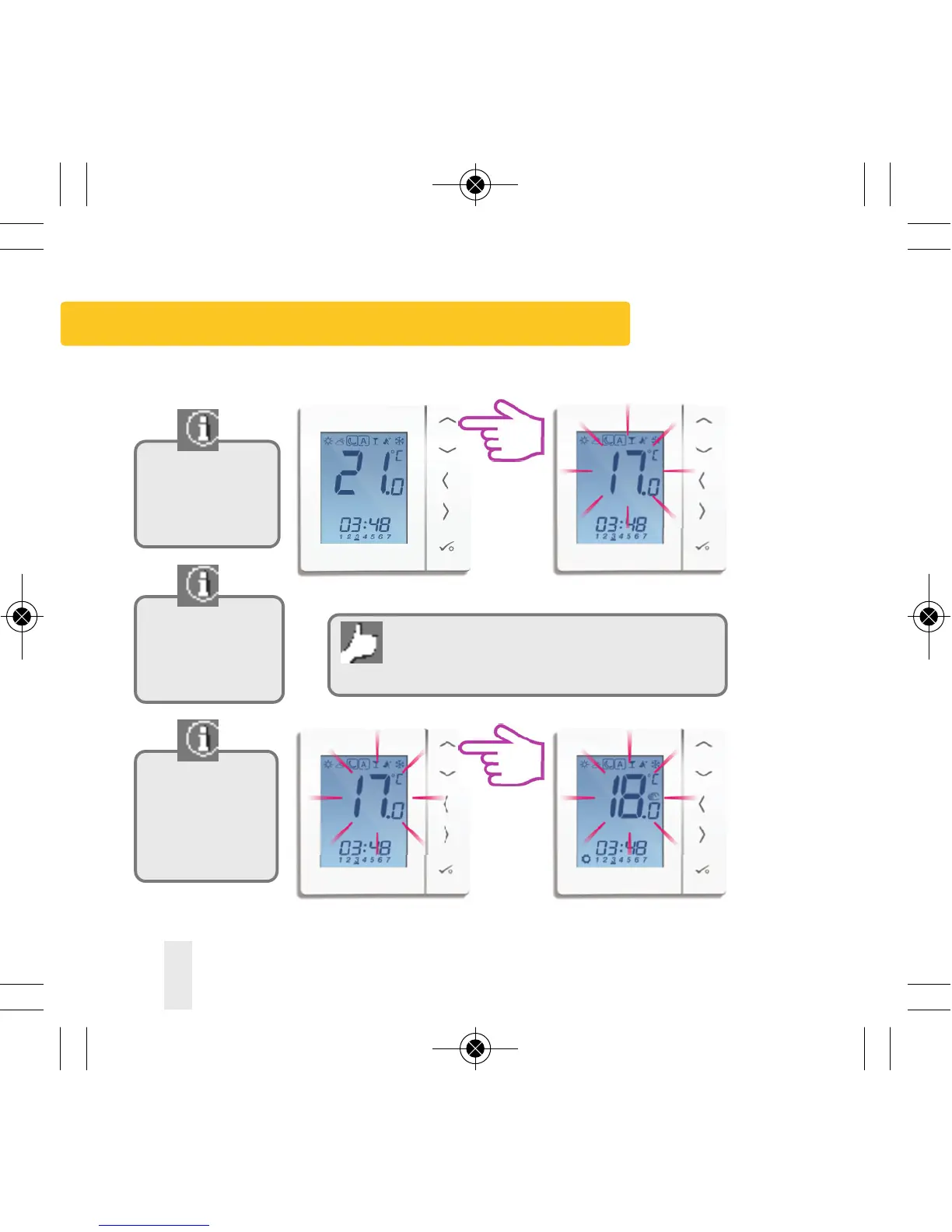
Use the up or down
arrow key to view
your program set
temperature.
The temporary
override is applicable
to the thermostat
being changed only.
Use the up or down
arrow key to adjust
the temperature to
the setting you
desire.
Temporary override allows you to increase the
temperature or decrease it to the desired setting
until it reverts back on the next program time.
58 VS10W and VS10B Installer Manual
PRT, Group Control Thermostat and Group Thermostat



 To Next Page