72 VS20WRF and VS20BRF Installer Manual
Installation - Modifying Device Parameters
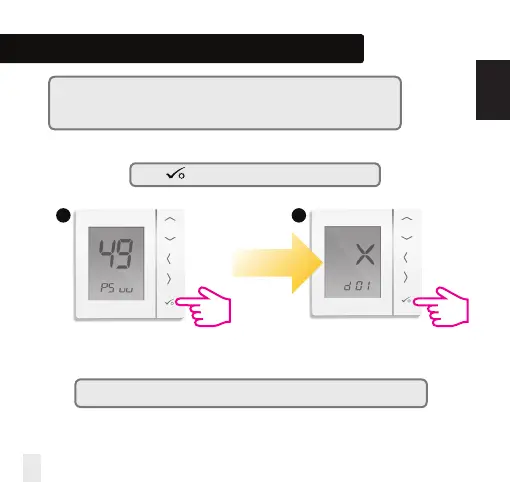
Press repeatedly until you reach the d01 screen.
Note: You can see the Installer Mode Parameters on page 73 in the Manual.
*Please note that x=1,2, 3 or any °C value.
5 6
Note: You can enter in Installer Mode Parameters only when you are using the
thermostat without an internet connection.
When connected to the internet you can access them directly from the App.
INSTALLATION


 To Next Page