
 Need help?
Do you have a question about the Sames GNM 100 and is the answer not in the manual?
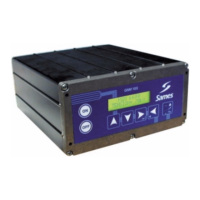
Overview of the GNM 100 microcontroller, its two-line screen, and signal lights functionality.
Technical data including working temperature, electrical input/output, size, protection index, and mass.
Details on power supply options (220V/110V) and connection requirements for the GNM module.
Overview of available low voltage connectors and a warning for specific high voltage unit usage.
Pin assignment and signal description for the 12-pin connector used for high voltage unit connection.
Pin assignment for atomizer controls and a warning regarding relay current limitations.
Pin assignments for PLC connection, including diagrams for cabling and fault signalling.
Configuration for analog inputs, control of Vm/Im outputs, and methods for wiring external triggers.
Using the OK board relay for fault signals, with wiring examples for PLC and fault lamps.
Ensuring proper earth connection and connecting the mains cord and gun plug to the GNM 100.
Procedure for validating new high voltage units and troubleshooting recognition issues.
Instructions on how to change the high voltage set point using the device's control keys.
Memorizing up to nine user-defined voltage and current value tables (J1 to J9).
Recalling and applying previously stored voltage and current set points from tables.
Activating the high voltage by pulling the gun trigger and monitoring voltage/current values.
Description of six major faults, their display codes, and the procedure for resetting the module.
Safety precautions and methods for cleaning the GNM 100 control module using ethyl alcohol.
 General
| Brand | Sames |
|---|---|
| Model | GNM 100 |
| Category | Control Unit |
| Language | English |

 To Next Page