
 Need help?
Do you have a question about the Samson 6A and is the answer not in the manual?
Key safety guidelines to prevent hazards and ensure proper operation.
Guidance on optimal placement of the monitors for best sound performance.
Simple steps and diagram for connecting the monitors to a mixer or audio source.
Details on Ribbon Level, Volume, and various audio input connectors.
 General
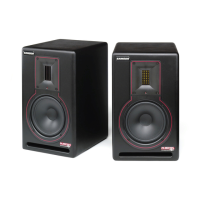
| Type | Active Studio Monitor |
|---|---|
| Configuration | 2-Way |
| LF Driver Power | 50W |
| Woofer Size | 6.5 inches |
| Tweeter Size | 1 inch |
| Frequency Response | 45Hz |
| Input Types | XLR, TRS |

 To Next Page
