7
Expedition Express
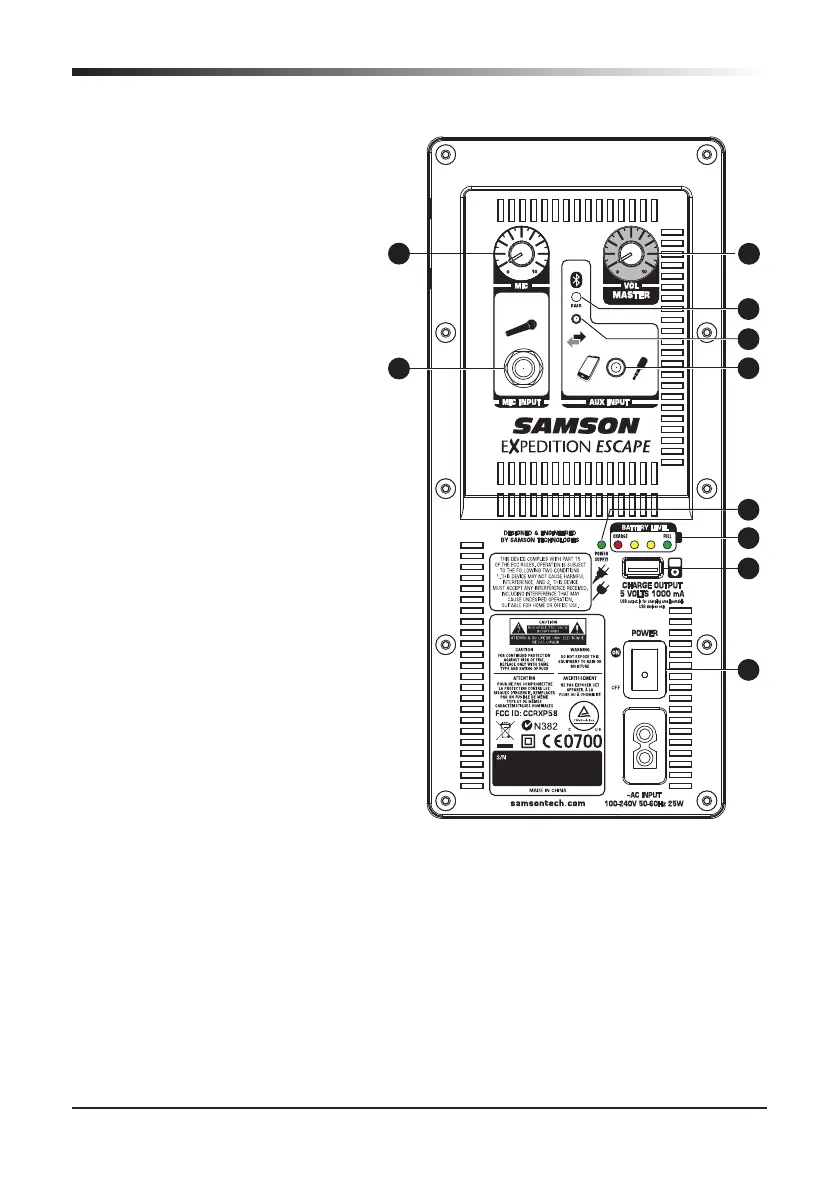
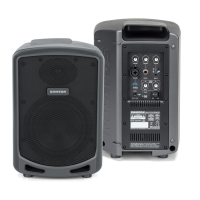
Rear Panel Features
1. MIC Volume - Used to control
the level of the microphone
input.
2. MIC INPUT - Use this
1
⁄4" input
to connect a microphone.
3. Pairing Indicator - Displays the
Bluetooth
status of the Expe-
dition Escape system.
4. Pairing Button - Press this
button to enable discoverable
mode to pair with a Bluetooth
audio device.
5. AUX INPUT - Connect a line
level device using a 3.5mm
audio cable.
6. MASTER VOL - Used to control
the overall level of the speaker
system.
7. POWER SUPPLY Indicator -
Lights green when the speaker
system in plugged into an AC
outlet.
8. Battery Level Indicators - Dis-
plays the status of the battery
charge level.
9. USB CHARGE OUTPUT - Supplies 5 volts of power to charge a small por-
table USB device like an MP3 player or smart phone.
10. Power - Switches on the main power.
11. AC INPUT - Connect the supplied power cord here.
2
1
3
4
7
5
8
9
10
6







 To Next Page