10
Operating The S•com 4
USING THE ENHANCER
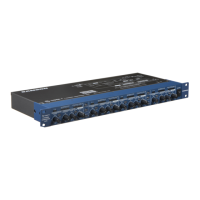
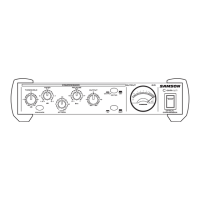
The S•com 4’s ENHANCER switch can be engaged to activate the EFR (Enhanced Frequency Recovery) circuit.
By engaging the ENHANCER, the S•com 4 EFR restores the high frequency content that can be lost when high
gain reduction is applied. The S•com 4 EFR achieves this by adding back the high-end of the original signal in an
amount that is equal to the amount of gain reduction.
IN/OUT 1
STEREO LINK
IN/OUT 2
GAIN REDUCTION dB INPUT / OUTPUT LEVEL dB
-24 -6 -4-12 -2
-18 0 +6-6 +9
COMPRESSOR / LIMITEREXPANDER/GATE CH 1
dB
OFF +10
050
20
TRIGGER
RELEASE
GATE
THRESHOLD
dB
-40 +20
10-30
-10
4:1
dB
62
1
RATIO
I/O
ENHANCER
METER
dB
-20 +20
+10-10
0
OUTPUT
GAIN REDUCTION dB INPUT / OUTPUT LEVEL dB
-24 -6 -4-12 -2
-18 0 +6-6 +9
COMPRESSOR / LIMITEREXPANDER/GATE CH 2
dB
OFF +10
050
20
TRIGGER
RELEASE
GATE
THRESHOLD
dB
-40 +20
10-30
-10 4:1
dB
62
1
RATIO
I/O
ENHANCER
METER
dB
-20 +20
+10-10
0
OUTPUT
50
E
4 CHANNEL
COMPRESSOR
GATE
• Follow the section above, “SETTING UP THE S•com 4” for normalizing the controls and run a signal such
as a CD through the S•com 4.
• Press the In/Out switch (located between Channels 1 and 2) to the IN position.
• Adjust the Ratio to 6 - 8:1.
• Switch on the ENHANCER and listen to how the high end is restored when the ENHANCER is on.
ENGLISH


 To Next Page
 Loading...