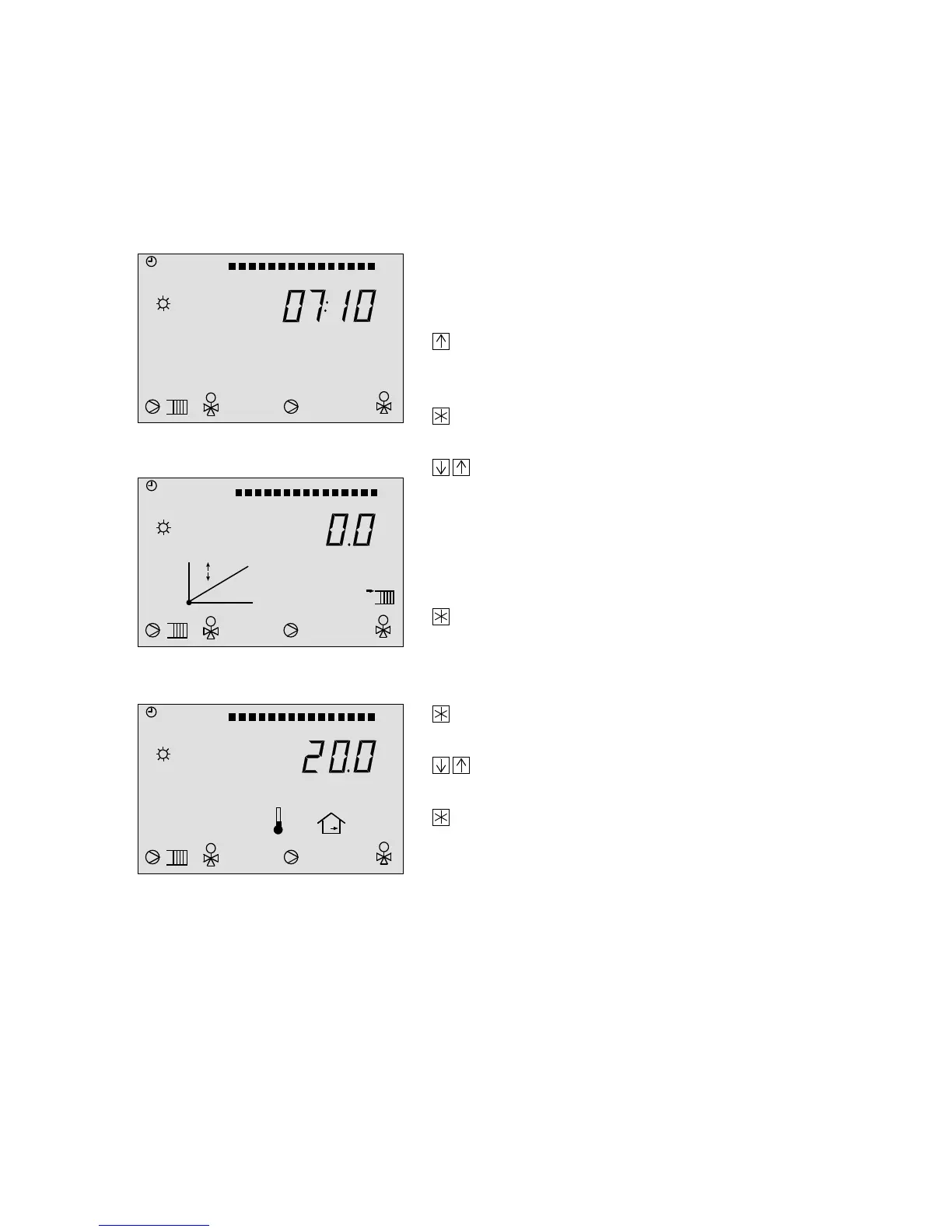
Increase/decrease heatings set point on the operating level
The room temperature can be adjusted from the operating level by simply pressing a few keys.
This is achieved by changing the flow temperature of the heating circuit via displacement of the
heating characteristic to make it warmer or cooler, or in adaptation mode, by directly changing
the room temperature set point.
This setting is only effective when the heating system is running during a rated operation period!
Operating level, e.g. time shown in the display
If you want to change the set point:
Press the arrow key until the gradient of the
heating characteristic or room set point (see
below) appears in the display.
Press the enter key. The displacement arrows
start to blink.
Use the arrow keys to set the required
displacement value in °C . Upwards = increase
and downwards = decrease room temperature.
A displacement by 5 °C, for example, causes a 1°C in-
crease in the room temperature.
Press the enter key to acknowledge the value.
Shortly after, the display returns to the current
time.
Press the enter key. The room temperature
arrow starts to blink.
Use the arrow keys to set the required value
in °C.
Press the enter key to acknowledge the value.
Shortly after, the display returns to the current
time.
M
1
M
10 11 12 13 1415 16 17 18 191 2 3 4 5 6 7 8 9 20212223240
M
1
M
10 11 12 13 14 15 16 17 1819123456789 20212223240
°C
M
1
M
10 11 12 13 1415 16 17 18 191 2 3 4 5 6 7 8 9 20212223240
°C
37



 To Next Page