3 Alignments and Adjustments
3-2
3-6 Service Function Spec.
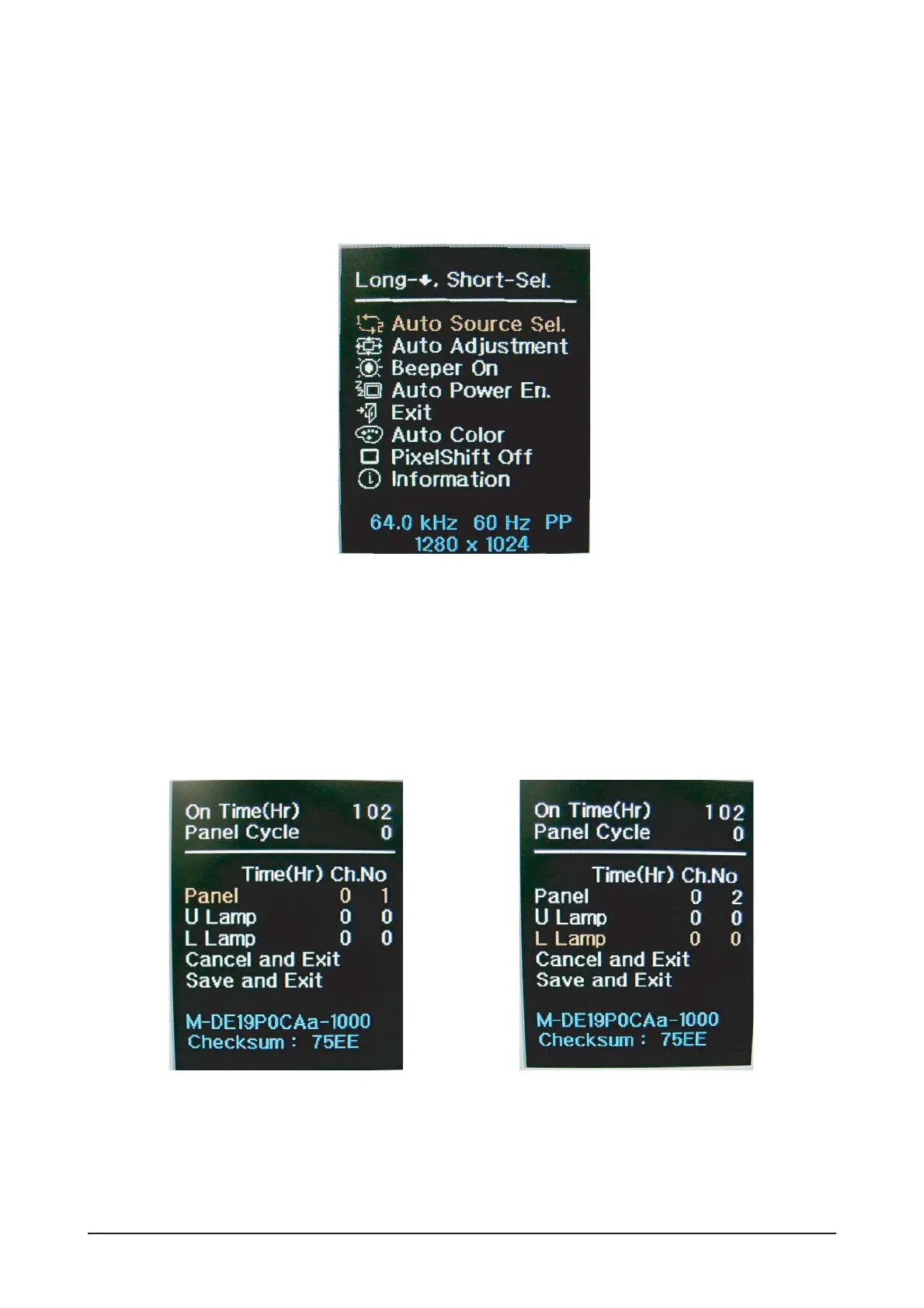
3-6-1 How to Display Service Function OSD
1. The OSD is displayed just like in 3-2.
2. Select Exit from the menu to remove the OSD display.
Figure 2. The example of service function OSD
Figure 3.
3-6-2 How to Control Service Function OSD
Press and hold down the power button to proceed with the next process/ press and release it to make a selection.
When a selection is made, the OSD menu turns yellow.




 To Next Page