11 Disassembly and Reassembly
11-1
11 Disassembly and Reassembly
This section of the service manual describes the disassembly and reassembly procedures for the
DE17PS/DE19PS TFT-LCD monitors.
WARNING: This monitor contains electrostatically sensitive devices. Use caution when handling
these components.
11-1 Disassembly
Cautions: 1. Disconnect the monitor from the power source before disassembly.
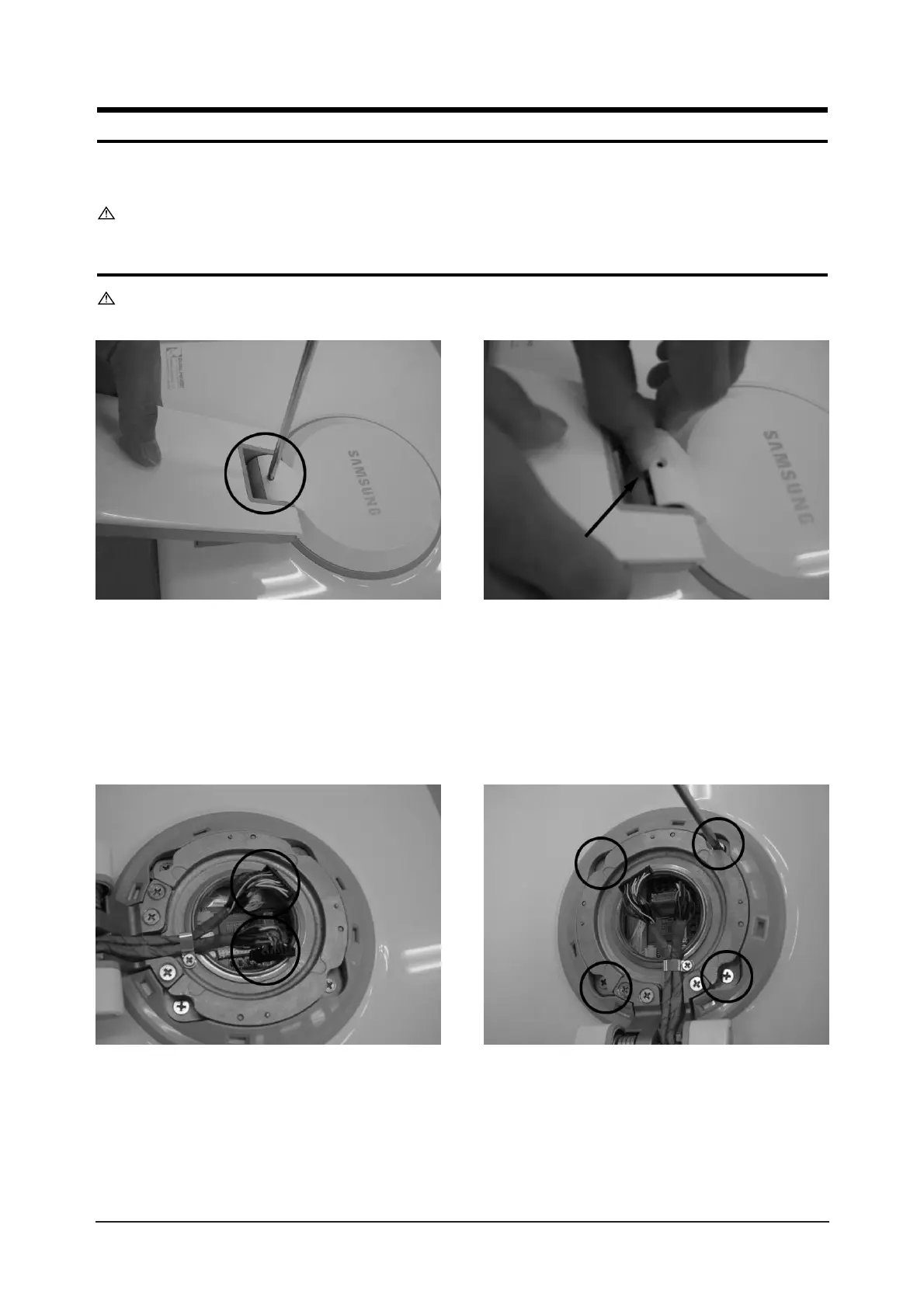
1. Place monitor face down on cushioned table. Remove 1 screws from grip on the stand and remove back
cover from the stand.
2. Disconnect cable and remove 4 screws from the stand.




 To Next Page