10 Operating Instructions and Installation
10-3
10-5 Attaching a Base
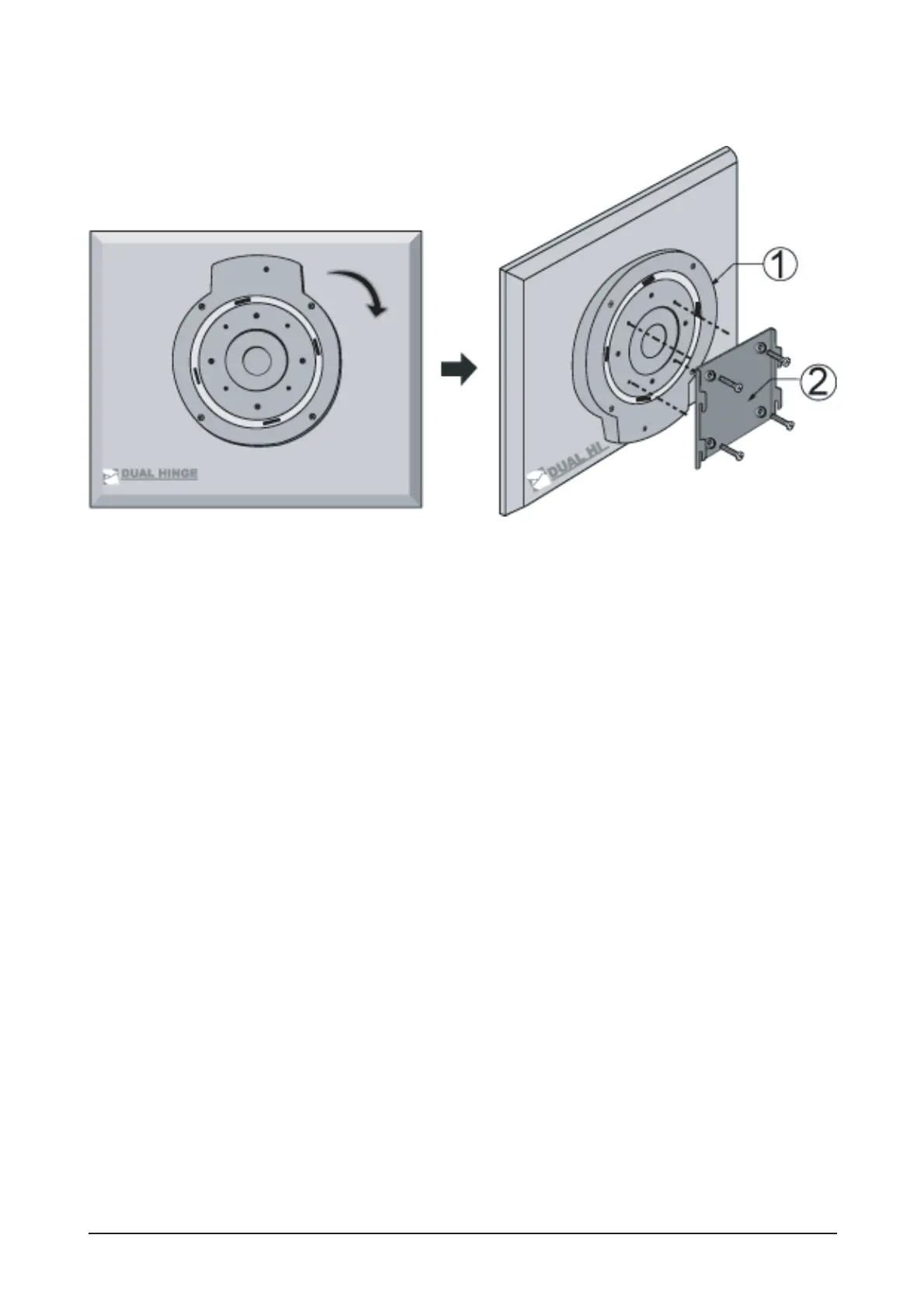
This monitor accepts a 75mm x 75mm VESA-compliant mounting interface pad.
1. VESA Stand
2. VESA Mounting Bracket
Fold the monitor stand. Turn it so that the side to which the cable is connected faces down. Attach the VESA
Mounting Bracket to the bottom side of the stand. Align the holes of the bracket with those in the VESA
stand, and fasten it tightly in place with four screws.
Caution: The stand is made of aluminum. Keep it from getting nicked or scratched.




 To Next Page