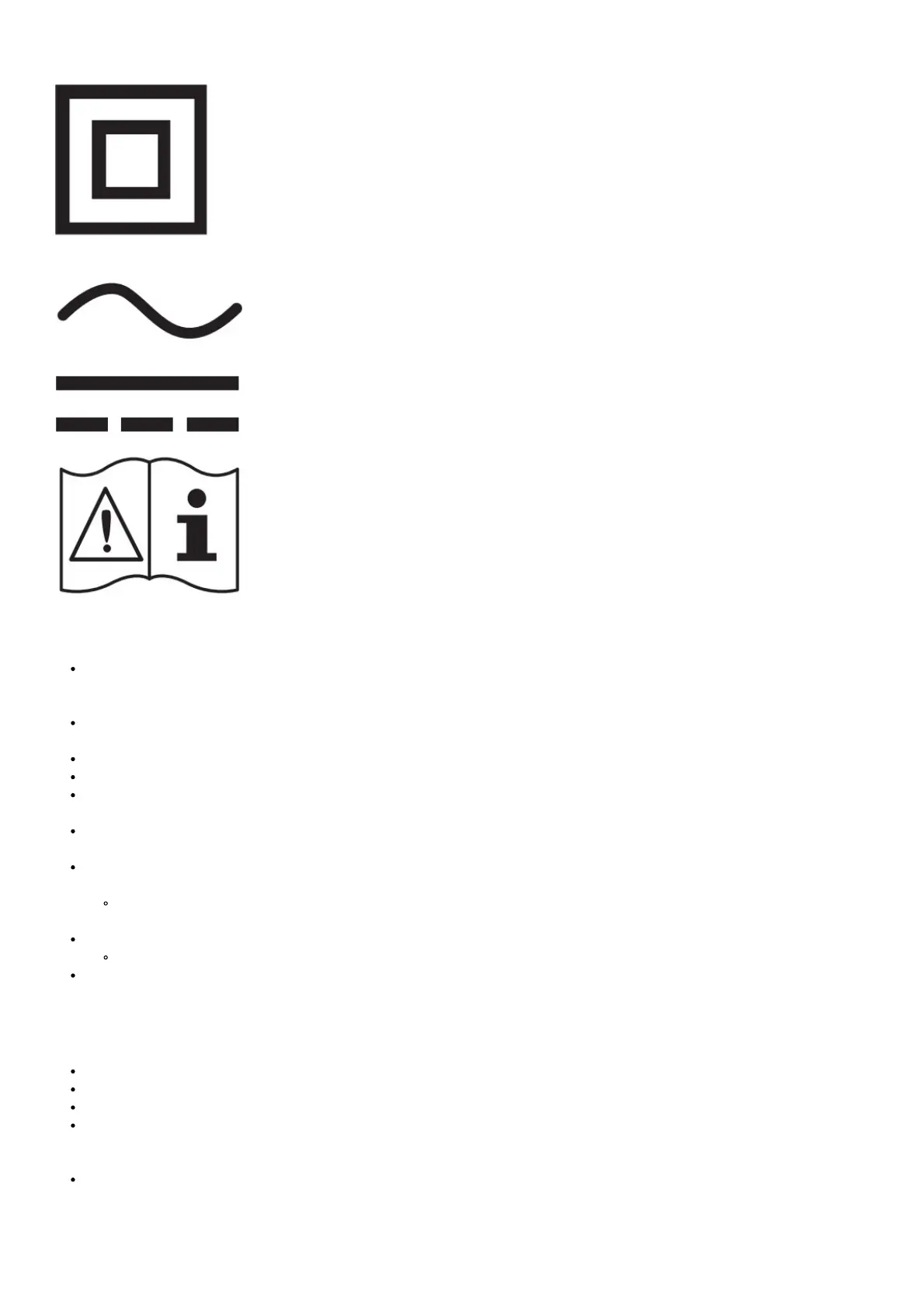
Class II product: This symbol indicates that a safety connection to electrical earth (ground) is not
required. If this symbol
is not present on a product with a mains lead, the product MUST have a reliable connection to
protective earth (ground).
AC voltage: Rated voltage marked with this symbol is AC voltage.
DC voltage: Rated voltage marked with this symbol is DC voltage.
Caution. Consult instructions for use: This symbol instructs the user to consult the user manual for
further safety related information.
Power
Do not overload wall outlets, extension cords, or adaptors beyond their voltage and capacity. It may cause fire or electric shock.
Refer to the power specifications section of the manual and/or the power supply label on the product for voltage and amperage
information.
Power-supply cords should be placed so that they are not likely to be walked on or pinched by items placed upon or against
them. Pay particular attention to cords at the plug end, at wall outlets, and at the point where they exit from the appliance.
Never insert anything metallic into the open parts of this apparatus. This may cause electric shock.
To avoid electric shock, never touch the inside of this apparatus. Only a qualified technician should open this apparatus.
Be sure to plug in the power cord until it is firmly seated. When unplugging the power cord from a wall outlet, always pull on the
power cord’s plug. Never unplug it by pulling on the power cord. Do not touch the power cord with wet hands.
If this apparatus does not operate normally – in particular, if there are any unusual sounds or smells coming from it – unplug it
immediately and contact an authorised dealer or Samsung service centre.
To protect this apparatus from a lightning storm, or to leave it unattended and unused for a long time (especially when a kid, the
elderly, or the disabled is left alone), be sure to unplug it from the wall outlet and disconnect the antenna or cable system.
Accumulated dust can cause an electric shock, an electric leakage, or a fire by causing the power cord to generate sparks
and heat or by causing the insulation to deteriorate.
Use only a properly grounded plug and wall outlet.
An improper ground may cause electric shock or equipment damage. (Class l Equipment only.)
To turn off this apparatus completely, disconnect it from the wall outlet. To ensure you can unplug this apparatus quickly if
necessary, make sure that the wall outlet and power plug are readily accessible.
Installation
Do not place this apparatus near or over a radiator or heat register, or where it is exposed to direct sunlight.
Do not place vessels (vases etc.) containing water on this apparatus, as this can result in a fire or electric shock.
Do not expose this apparatus to rain or moisture.
Be sure to contact an authorised Samsung service centre for information if you intend to install your TV in a location with heavy
dust, high or low temperatures, high humidity, chemical substances, or where it will operate 24 hours a day such as in an
airport, a train station, etc. Failure to do so may lead to serious damage to your TV.
Do not expose this apparatus to dripping or splashing.
Mounting the TV on a wall




 To Next Page