The product colour and shape may vary depending on the model.
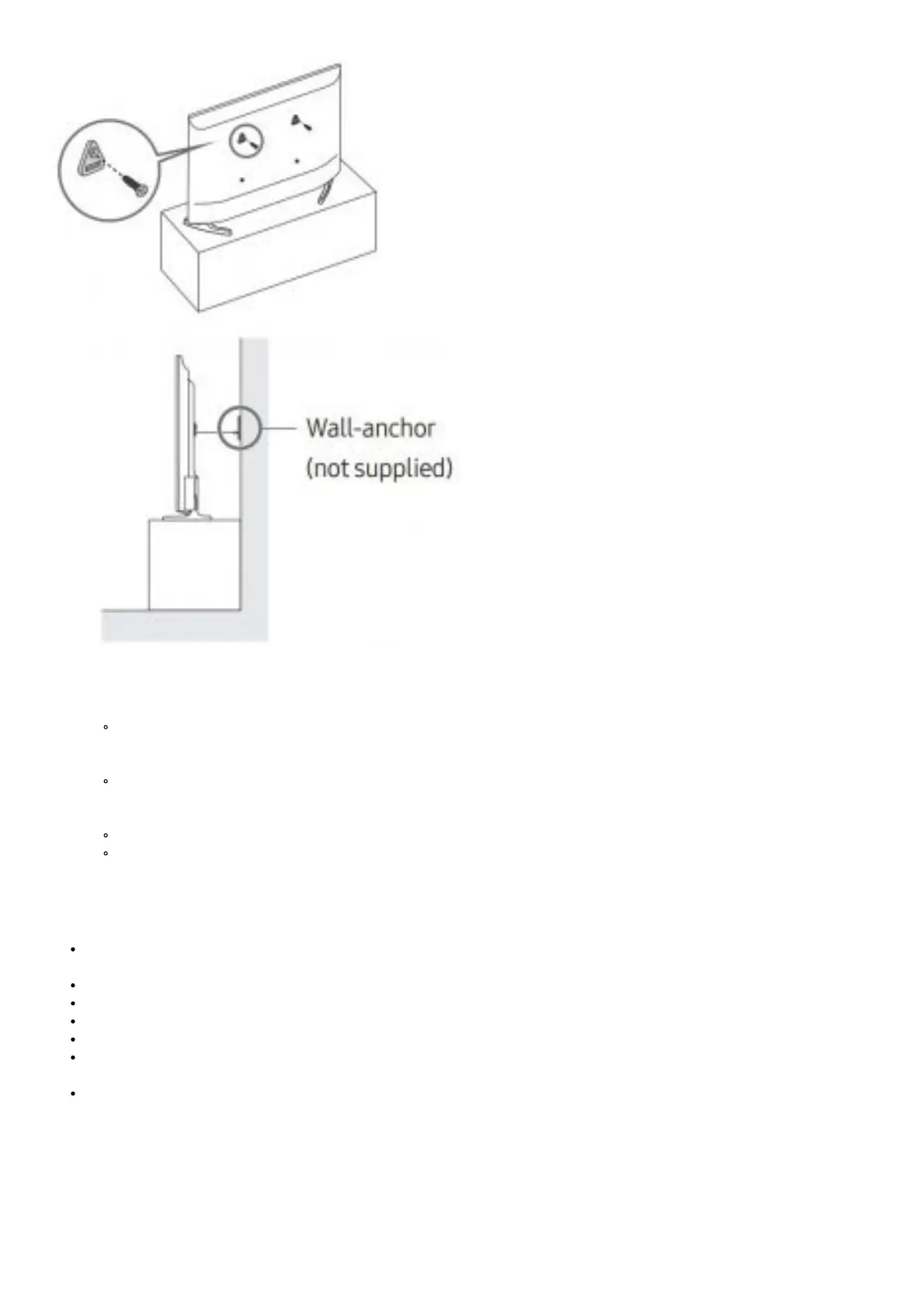
1. Using the appropriate screws, firmly fasten a set of brackets to the wall. Confirm that the screws are firmly attached to the wall.
You may need additional material such as wall anchors depending on the type of wall.
2. Using the appropriately sized screws, firmly fasten a set of
brackets to the TV.
For the screw specifications, refer to the standard screw part in the table on the Quick Setup Guide.
3. Connect the brackets fixed to the TV and the brackets fixed to the wall with a durable, heavy-duty string, and then tie the string
tightly.
Install the TV near the wall so that it does not fall backwards.
Connect the string so that the brackets fixed to the wall are at the same height as or lower than the brackets fixed to the
TV.
Operation
This apparatus uses batteries. In your community, there might be environmental regulations that require you to dispose of these
batteries properly. Please contact your local authorities for disposal or recycling information.
Store the accessories (batteries, etc.) in a location safely out of the reach of children.
Do not drop or strike the product. If the product is damaged, disconnect the power cord and contact a Samsung service centre.
Do not dispose of batteries in a fire.
Do not short-circuit, disassemble, or overheat the batteries.
CAUTION: There is danger of an explosion if you replace the batteries used in the remote with the wrong type of battery.
Replace only with the same or equivalent type.
WARNING – TO PREVENT THE SPREAD OF FIRE, KEEP CANDLES AND OTHER ITEMS WITH OPEN FLAMES AWAY
FROM THIS PRODUCT AT ALL TIMES.




 To Next Page