EasyManua.ls Logo

Samsung 710 - Page 22

Samsung 710
27 pages
Print Icon
To Next Page IconTo Next Page
To Previous Page IconTo Previous Page
Loading...
22
Pin Name
Pin Number
Pin Number
Pin Name
NC
37
38
GND
GND
39
40
XADC0
Pin Name
Pin Number
Pin Number
Pin Name
GND
1
2
MICOM_GPIO1
GND
3
4
MICOM_GPIO2
GND
5
6
MICOM_GPIO3
GND
7
8
MICOM_GPIO4
DC5V
9
10
MICOM_GPIO5
11
12
MICOM_GPIO6
VBAT_MAIN
13
14
MICOM_GPIO7
15
16
MICOM_GPIO8
AP_VDDIO
17
18
MICOM_GPIO9
19
20
MICOM_GPIO10
VDD_EXT1P8_ALIVE
21
22
MICOM_GPIO11
23
24
MICOM_GPIO12
VDD_EXT1P8
25
26
MICOM_GPIO13
27
28
MICOM_GPIO14
VDD_EXT3P3_ALIVE
29
30
GND
31
32
GND
VDD_EXT3P3
33
34
GND
35
36
GND
VDD_EXT5P0_1
37
38
GND
39
40
GND
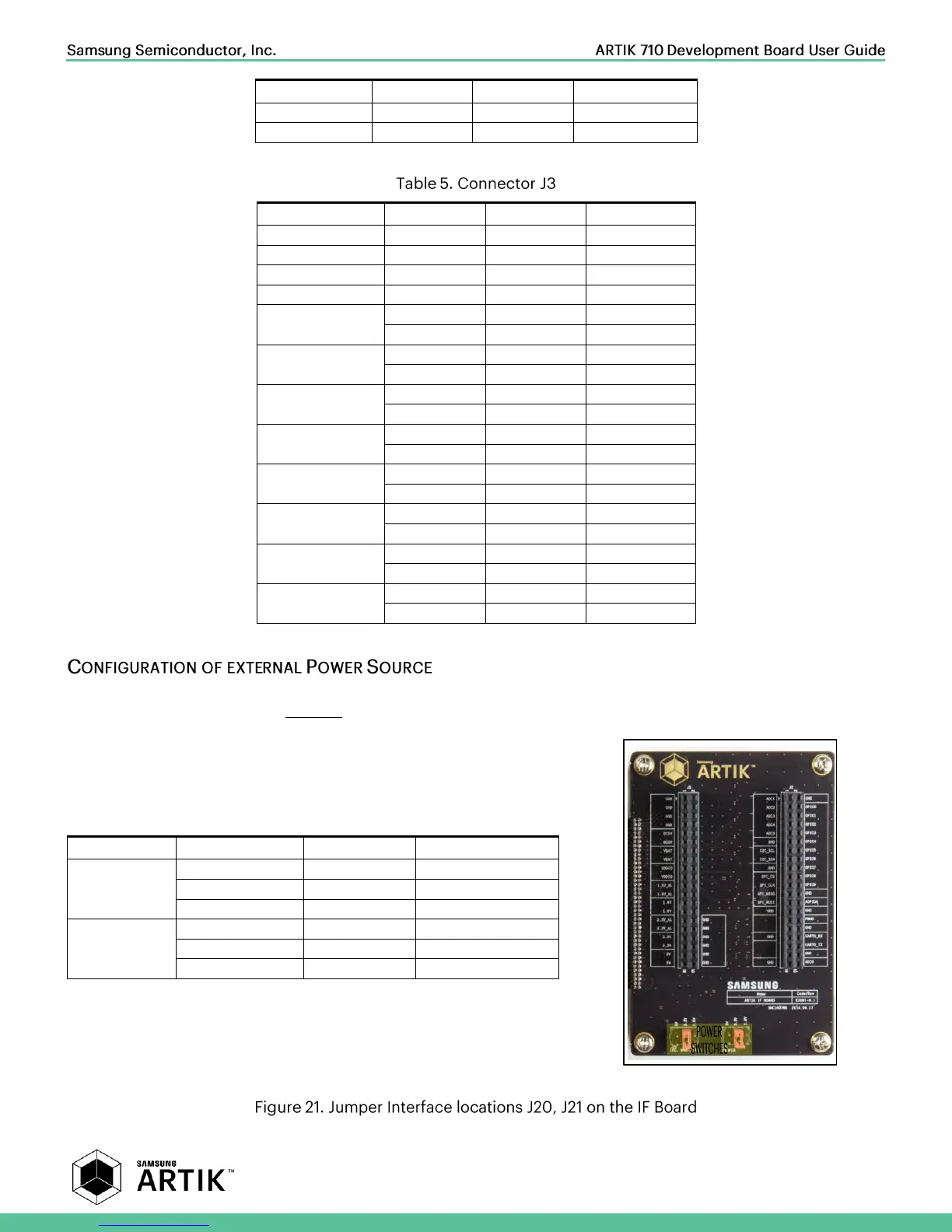
Through selection of the Jumpers J20 and J21 you can choose the IO power source (I
2
C, UART, GPIO) or the XAGPIO power
source of either, 1.8V, 3.3V or 5V. Figure 21 shows how to set the various jumpers to switch between power sources.
Description
Power Source
Default Value
Connect
I2C, UART, GPIO
DCDC_5V_1
Place Jumper J20:[1-2]
VDDEXT_33_OFF
Place Jumper J20:[3-4]
VDDEXT_18_OFF
Place Jumper J20:[5-6]
XAGPIO
DC5V
Place Jumper J21:[1-2]
VDD_EXT3P3_ALIVE
Place Jumper J21:[3-4]
VDD_EXT1P8_ALIVE
Place Jumper J21:[5-6]