
 Need help?
Do you have a question about the Samsung 770 and is the answer not in the manual?
Describes the TV's interactive and stand-alone operational states.
Details required clearance around the TV for proper ventilation.
Provides step-by-step guidance for attaching the TV stand.
Details the functions of each button on the TV remote control.
Details the process of connecting the TV to a Set-Back Box (SBB).
Details the steps to connect the MediaHub HD module to the TV.
Outlines how to connect external sources via the RJP.
Configures hotel mode and selects the SI vendor for system operation.
Defines TV behavior on power-up and channel management.
Customizes on-screen display and clock functions for hotel use.
Manages hotel logos, welcome messages, and TV data cloning.
Details REACH features for remote management and security settings.
Explains how to enable and customize welcome messages displayed on the TV.
Explains how to copy TV settings to a USB device for backup or transfer.
Details how to restore TV settings from a USB device.
Guides through the automatic TV setup for hotel mode upon first power-on.
Explains the significance of correctly configuring the Local Set for TV functionality.
Explains how to edit channel numbers and names using the Channel Editor.
Provides safety notes and guidelines for installing the wall mount.
Explains how to safely attach the TV to the wall to prevent falls.
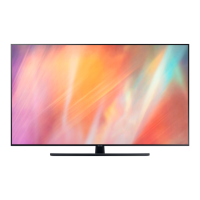
 General
| Backlight | LED |
|---|---|
| Refresh Rate | 60Hz |
| Smart TV | Yes |
| Operating System | Tizen |
| Wi-Fi | Yes |
| Series | 7 Series |






 To Next Page