24
SAMSUNG ELECTRONICS
No. Parts Procedure Remark
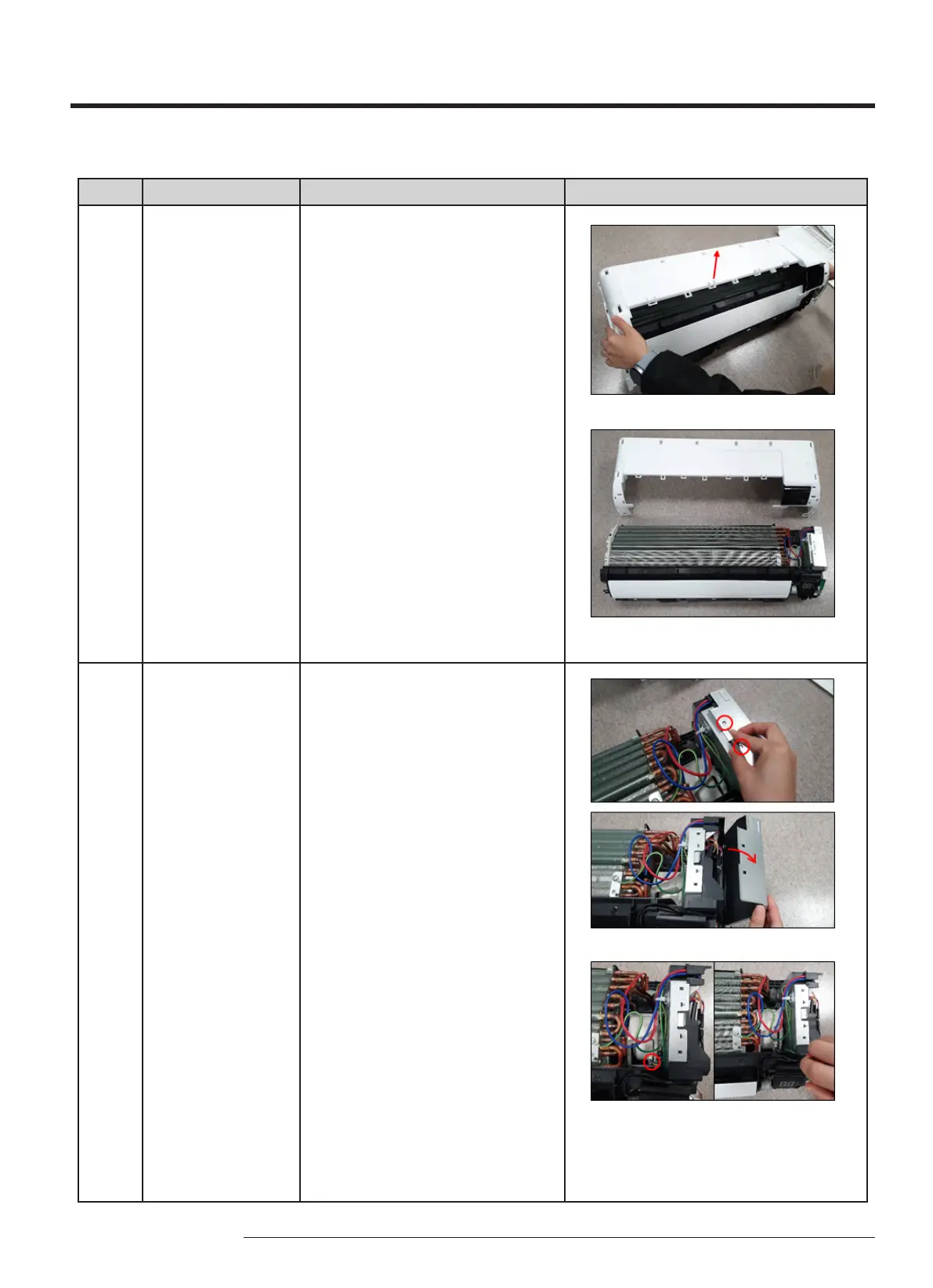
PANEL-FRONT 9)Raise the PANEL FRONT upward as
shown in the gure to separate the 3
hooks.
2 CONTROL-IN 10)To open the CONTROL-IN, raise the
side anges of the PLATE-RIGHT at an
angle and unlock 2 hooks.
11)To detach the CONTROLIN, unfasten a
screw back of the PLATE-LEFT as shown
in gures. (use (+) Screw Driver)



 To Next Page