Notes on the USB connection
• Your player supports USB storage media,
MP3 players, digital cameras, and USB
card readers.
• Some USB/digital camera devices may not
be compatible with the player.
• Your player supports the FAT16, FAT32,
and NTFS files systems.
• Connect USB devices directly to the
player's USB port. Connecting through
a USB cable may cause compatibility
problems.
• Inserting more than one memory device
into a multi-card reader may cause the
reader to operate improperly.
• The player does not support the PTP
protocol.
• Do not disconnect a USB device during a
"loading" process.
• The bigger the image resolution, the longer
the image takes to display.
• This player cannot play MP3 files with DRM
(Digital Rights Management) downloaded
from commercial sites.
• Your player only supports video that is
under 30fps (frame rate).
• Your player only supports USB Mass
Storage Class (MSC) devices such as
thumb drives and USB HDD. (HUB is not
supported.)
• Certain USB HDD Devices, multi-card
readers and thumb drives may not be
compatible with this player.
• If some USB devices require excessive
power, they may be limited by the circuit
safety device.
• If playback from a USB HDD is unstable,
provide additional power by plugging the
HDD into a wall socket.
If the problem continues, contact the USB
HDD manufacturer.
• You must remove the USB storage device
safely. (by performing the "Safely Remove
USB" function to prevent possible damage
to the USB memory.)
Press the HOME button to move to the
home screen, press the YELLOW (C)
button, and then press the
v
button.
• SAMSUNG is not responsible for any data
file damage or data loss.
• Your player does not support compression
file, sparse file and encryption file of NTFS.
- Before disconnecting a USB device,
please use USB Safety Removal.
- If you don't use USB Safety Removal,
your data on USB device can be
corrupted or lost
- You can repair or format a USB device
on your Desktop PC. (MS-Windows OS
only)
AVCHD (Advanced Video Codec High
Definition)
• This player can play back AVCHD format
discs. These discs are normally recorded
and used in camcorders.
• The AVCHD format is a high definition
digital video camera format.
• The MPEG-4 AVC/H.264 format
compresses images with greater efficiency
than the conventional image compressing
format.
• Some AVCHD discs use the "x.v.Color" format. This player can play back AVCHD discs that
use "x.v.Color" format.
• "x.v.Color" is a trademark of Sony Corporation.
• "AVCHD" and the AVCHD logo are trademarks of Matsushita Electronic Industrial Co., Ltd.
and Sony Corporation.
| NOTE |
\
Some AVCHD format discs may not play, depending on the recording conditions.
AVCHD format discs need to be finalized.
\
"x.v.Color" offers a wider color range than normal DVD camcorder discs.
Accessories
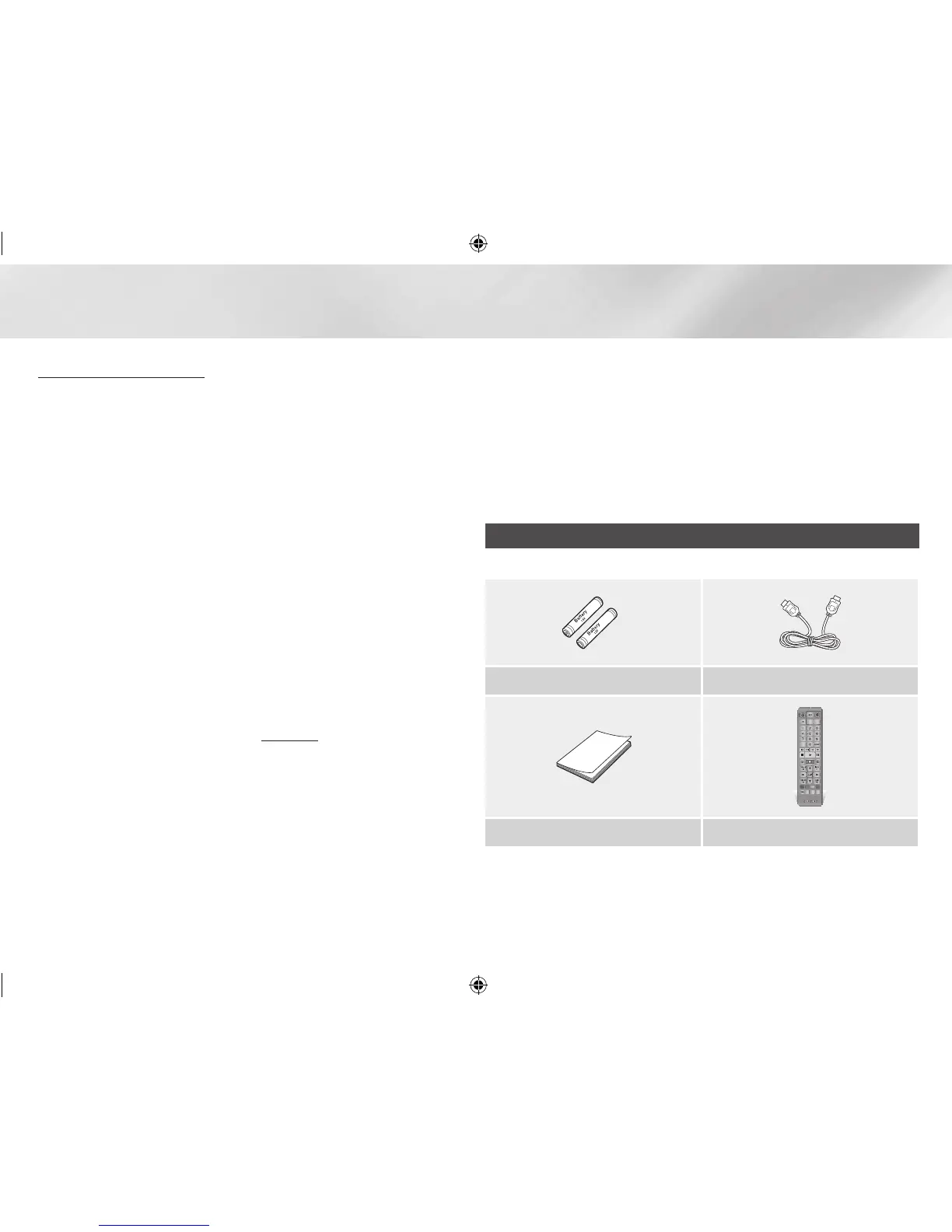
Check for the supplied accessories below.
Batteries for Remote Control (AAA Size) HDMI cable (BD-EM57C only)
PANDORA
DIGITAL
SUBTITLE
INPUT
HOME
1
4
7
VOL
+
2
5
8
0
VOL
–
3
6
9
SOURCE
DISC MENU
HOME CinemaNow
TITLE MENU
VOL VOL
POPUP
A B C D
SMART SUBTITLE FULL
SCREEN
SAMSUNG TV
– +
INFOTOOLS
RETURN
EXIT
AUDIO
HUB
User Manual Remote Control
02229E-BD-EM57,57C-ZC-ENG.indd 8 2012-01-04 오전 10:36:57



 To Next Page