FRANÇAIS
2
3
4
Voice Recorder Mode : Recording
Mode Enregistreur vocal –
Enregistrement
Recording Voice
You can record voice using the built-in microphone in the
CAM.
ENGLISH
7676
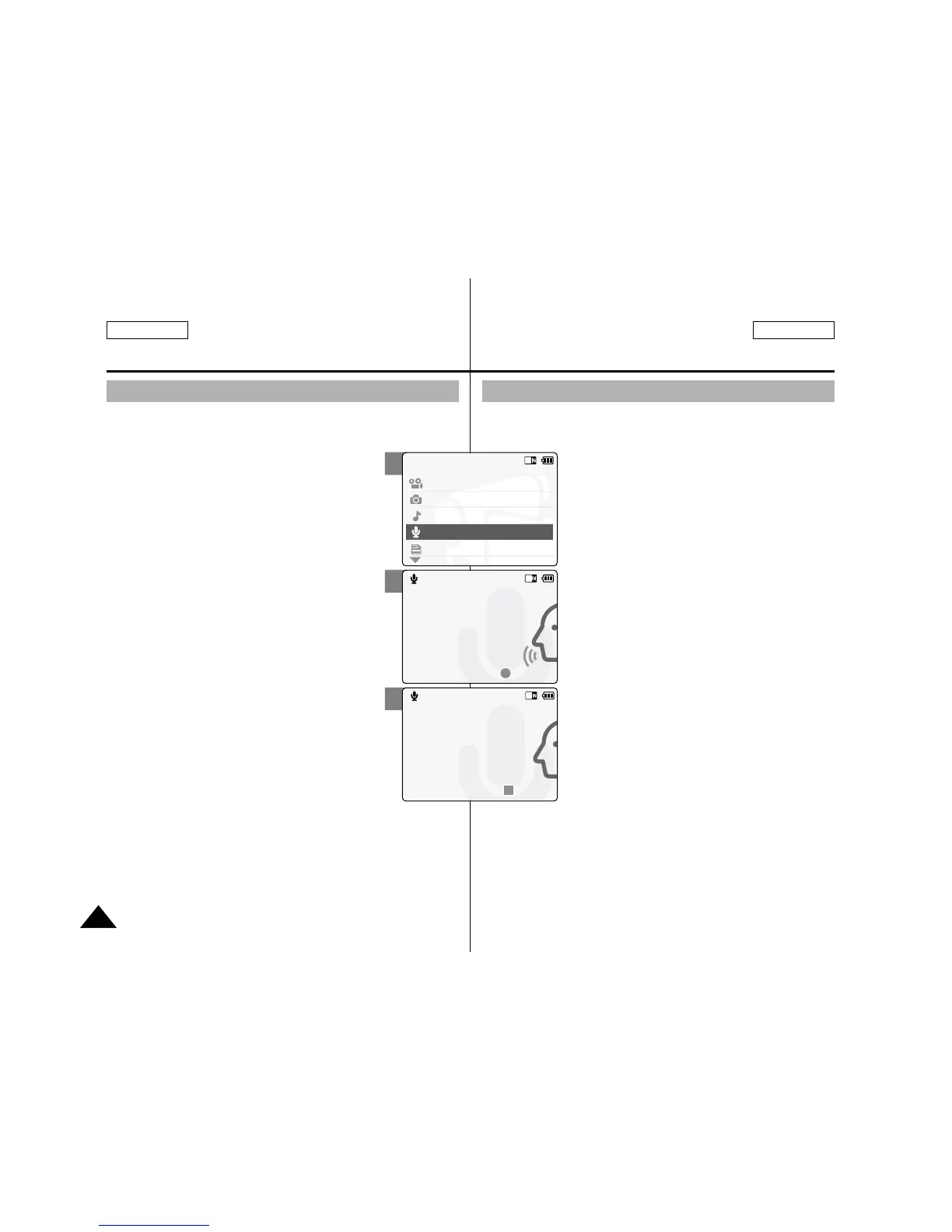
1. Slide [Mode Selector] down to turn on
the CAM and slide it down again.
◆ The Mode Selection screen appears.
2. Slide the [ ▲ /▼ ] switch to select Voice
Recorder mode and press the [OK]
button.
3. Press the [Record/Stop] button to
record voice.
◆ The elapsed time and <● REC > is
displayed. The CAM starts recording.
4. Press the [Record/Stop] button to stop
recording voice.
◆ < ■ STBY > is displayed and it stops
recording.
Enregistrement de la voix
Vous pouvez enregistrer des données vocales grâce au
microphone interne du CAM.
1. Glissez le [Mode Selector] (Sélecteur
de mode) vers le bas pour démarrer le
CAM et glissez vers le bas une
seconde fois.
◆ L’écran de sélection du mode s’affiche.
2. Déplacez l’interrupteur [ ▲ / ▼ ] pour
sélectionner le mode Voice Recorder
<Enregistreur vocal> puis appuyez sur
le bouton [OK].
3. Appuyez sur le bouton [Record/Stop]
pour réaliser l’enregistrement vocal.
◆ Le temps écoulé et le témoin <● REC >
s’affichent. Le CAM débute l’enregistrement.
4. Appuyez sur le bouton [Record/Stop]
pour mettre fin à l’enregistrement
vocal.
◆ Le témoin <■ STBY > s’affiche et
l’enregistrement s’arrête.


 To Next Page