FRANÇAIS
2
3
4
6
Using File Browser Navigateur de fichiers
ENGLISH
8282
Locking Files
You can lock the important video or photo files so they can not
be deleted.
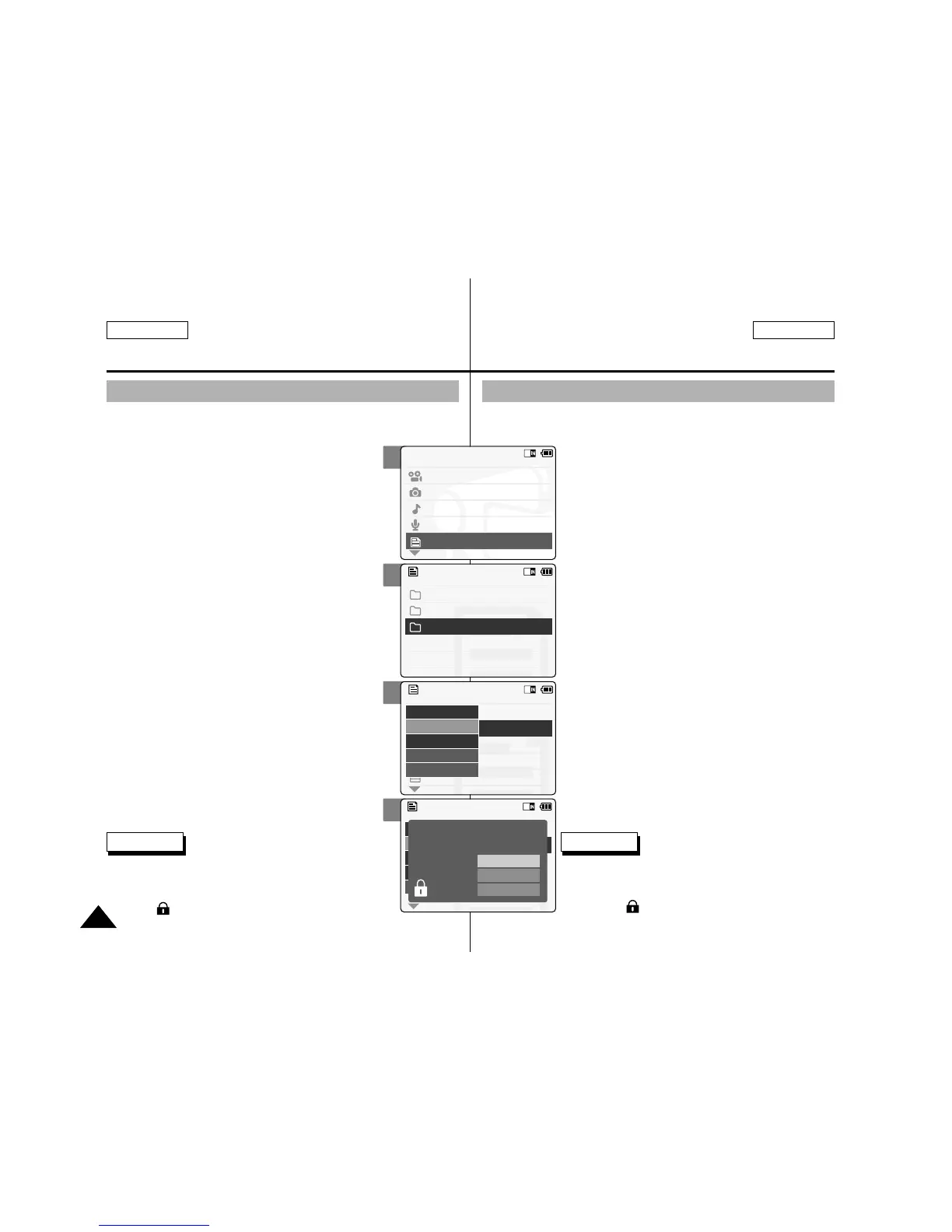
1. Slide the [Mode Selector] down to turn
on the CAM and press it again.
◆ The Mode Selection screen appears.
2. Slide the [ ▲ / ▼ ] switch to select File
Browser and press the [OK] button.
3. Slide the [ ▲ / ▼ ] switch to select the
file you want to lock.
Press the [OK] button.
◆ Perform these steps repeatedly until the file
you want to lock appears.
4. Press the [Menu] button and silde the
[ ▲ /▼ ] switch.
Press the [OK] button after selecting
<Lock>.
5. Slide the [ ▲ / ▼ ] button to select from
the following and press the [OK]
button.
◆ Selected: The selected file is locked.
◆ All: All files are locked.
◆ Cancel: Cancels locking files.
Verrouillage des fichiers
Vous pouvez verrouiller des fichiers vidéo ou photo importants
pour empêcher leur suppression.
1. Déplacez l’interrupteur [Mode Selector]
(Sélecteur de mode) vers le bas pour
allumer le CAM puis actionnez-le à
nouveau.
◆ L’écran Mode Selection (Sélection de mode)
s’affiche.
2. Déplacez l’interrupteur [ ▲ /▼ ] pour
sélectionner File Browser <Navigateur de
fichier> puis appuyez sur le bouton [OK].
3. Déplacez l’interrupteur [ ▲ /▼ ] pour
sélectionner le fichier que vous souhaitez
verrouiller. Appuyez sur le bouton [OK].
◆ Répétez ces étapes jusqu’à ce que le fichier que
vous souhaitez verrouiller s’affiche.
4. Appuyez sur le bouton [Menu] et
déplacez l’interrupteur [ ▲ /▼ ]. Appuyez
sur le bouton [OK] après avoir
sélectionné <Lock> (Verrouiller).
5. Glissez l'interrupteur [ ▲ /▼ ] afin de
sélectionner à partir des options
suivantes et appuyez sur le bouton [OK].
◆ Selected (Selectionné) : Le fichier sélectionné
est verrouillé.
◆ All (Tous) : Tous les fichiers sont verrouillés.
◆ Cancel (Annuler) : Annule le verrouillage des
fichiers.
Notes
✤
If you select <Back> in the menu, the previous menu
appears.
✤
You can’t lock folders.
✤
The < > icon is displayed when the file is locked.
Remarques
✤
Si vous sélectionnez <Back> (Retour) dans le menu,
le menu précédent s’affiche.
✤
Vous ne pouvez pas verrouiller les dossiers.
✤
L’icône < > s’affiche sur le fichier verrouillé.



 To Next Page