12
ENGLISH
COOKING/REHEATING
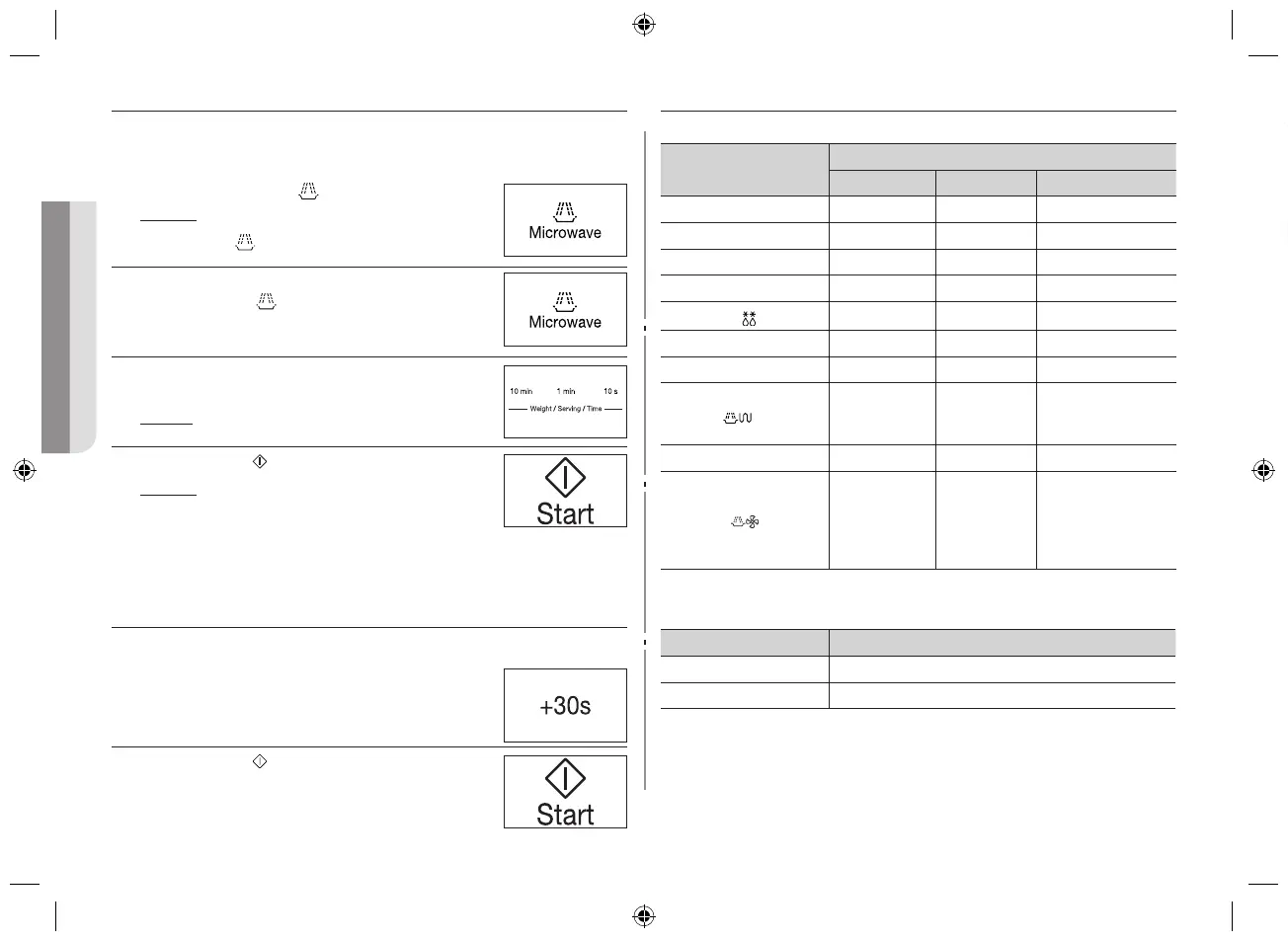
The following procedure explains how to cook or reheat food.
Always check your cooking settings before leaving the oven unattended.
First, place the food in the centre of the turntable. Then, close the door
1. Press the Microwave (
) button.
Result : The following indications are displayed:
(microwave mode)
2. Select the appropriate power level by pressing
the Microwave ( ) button again until the
corresponding output power is displayed. Refer to
the power level table beside for further details.
3. Set the cooking time by pressing the 10 min, 1 min
and 10 s buttons.
Result: The cooking time is displayed.
4. Press the Start (
) button.
Result : The oven light comes on and the
turntable starts rotating. Cooking starts
and when it has finished:
• Theovenwillbeepandash“0”fourtimes.
The end reminder signal will beep 3 times. (once every
minute)
ADJUSTING THE COOKING TIME
You can increase the cooking time by pressing the +30 s button once for
each 30 seconds to be added.
1. Press the +30 s button once for each 30 seconds to
be added.
2. Press the Start (
) button.
POWER LEVELS
You can choose among the power levels and temperature below.
Power level
Output
MWO GRILL CONVECTION
HIGH 800 W - -
MEDIUM HIGH 600 W - -
MEDIUM 450 W - -
MEDIUM LOW 300 W - -
DEFROST (
)
180 W - -
LOW/KEEP WARM 100 W - -
GRILL - 1100 W -
COMBI (
)
600 W
450 W
300 W
1100 W -
CONVECTION - - MAX: 1700 W
COMBI I (
)
600 W
450 W
300 W
180 W
100 W
-
MAX: 1700 W
( 200 - 40 °C )
The cooking times given in recipes and in this booklet correspond to the
specific power level indicated.
If you select a... Then the cooking time must be...
Higher power level Decreased
Lower power level Increased
STOPPING THE COOKING
You can stop cooking at any time so that you can:
• Checkthefood
• Turnthefoodoverorstirit
• Leaveittostand
To stop the cooking... Then...
Temporarily
Open the door.
Result: Cooking stops.
To resume cooking, close the door again and press
the Start ( ) button.
Completely
Press the Stop button.
Result: Cooking stops.
If you wish to cancel the cooking settings, press the
Stop ( ) button again.
USING THE KEEP WARM FEATURE
Place the keep food warm in the centre of the turntable and close the door.
1. Press the Keep Warm ( ) button.
2. Set the keep warm time time by pressing the 10
min, 1 min and 10 s buttons.
Result: The keep warm time is displayed.
3. Press the Start ( ).
The max keep warm time is 90 mins.
Result : When keep warm time has finished, the
oven will beep and flash “0” four times.
The end reminder signal will beep 3 times. (once every
minute)
CE74JD-CR_XTL_DE68-04168A-01_EN.indd 12 2014-05-16 �� 9:09:26


 To Next Page