EasyManua.ls Logo

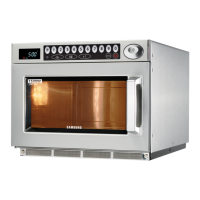
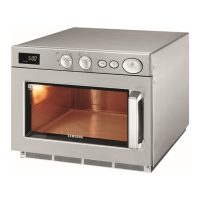
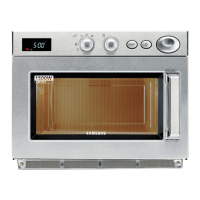
Samsung CM1329 - User Manual

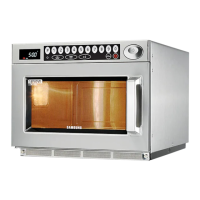
Samsung CM1329
24 pages
Print Icon
To Next Page IconTo Next Page
Loading...
P
1
2345 6789 0
+20sec
Code No. : DE68-02349A
MICROWAVE OVEN
(COMMERCIAL)
Owner’s Instructions and Cooking Guide
CM1929 (1850 Watt)
CM1629 (1600 Watt)
CM1329 (1300 Watt)
Oven.......................................................................................................2
Control Panel .........................................................................................2
Using this Instruction Booklet.................................................................3
Safety Precautiones...............................................................................3
Installing Your Microwave Oven.............................................................4
Cooking / Reheating...............................................................................5
Power Levels and Time Variations.........................................................6
Stopping the Cooking.............................................................................7
Repeat Feature ......................................................................................7
Using +20sec Pad..................................................................................8
Using the Defrost Feature ......................................................................8
Memory Pads Programming ..................................................................9
How to Operate Memory Cooking........................................................11
Double Quantity Pad Programming .....................................................11
How to Operate Double Quantity Pad..................................................12
Programming Air Filter Clean Time......................................................13
Controlling Beep Tone..........................................................................13
Error Codes ..........................................................................................14
Hidden Keys.........................................................................................15
Care of Your Microwave Oven .............................................................15
Installation Instructions for Stacking.....................................................17
Replacement of Lamp ..........................................................................17
Cookware Guide...................................................................................18
Cooking Guide......................................................................................19
Cleaning Your Microwave Oven...........................................................21
Storing and Repairing Your Microwave Oven......................................22
Technical Specifications.......................................................................22
jtX`Y`X]Y`niUGGwGXGGmSGtG\SGYWW[GGXWaY_Ght

Other manuals for Samsung CM1329

Questions and Answers

  • A
    Amanda PinedaSep 4, 2025
    Why is my Samsung CM1329 completely dead?
    • C
      Calvin NunezSep 4, 2025
      If your Samsung Microwave Oven is completely dead, with no display or operation, even though the fuse is okay, it could be due to an open or loose lead wire harness, an open thermal cutout (Magnetron, cavity), an open low voltage transformer, or a defective Ass’y PCB. Check the fan motor when the thermal cutout is defective. Check Ass’y PCB when L.V.T is defective.
  • L
    Lawrence MorrisSep 18, 2025
    What does E1 error mean on a Samsung Microwave Oven?
    • I
      Isaiah BranchSep 18, 2025
      If your Samsung Microwave Oven displays 'E1', it could be due to an improper input power frequency or a defective Ass’y Main P.C.B. Check if the power frequency is 50Hz. Replace the Ass’y Main P.C.B or MICOM.
  • K
    Katie Oconnell MDSep 16, 2025
    How to fix uneven cooking in Samsung CM1329 Microwave Oven?
    • E
      emily35Sep 16, 2025
      If your Samsung Microwave Oven is cooking food unevenly, it is due to the uneven intensity of microwave distribution, which is a characteristic of the appliance. Wrap thinner parts of the food with aluminum foil. Use plastic wrap or cover with a lid. Stir once or twice while cooking foods such as soup, cocoa, or milk.
  • C
    Connie AlvarezSep 14, 2025
    What does E5 error mean on Samsung CM1329?
    • M
      Mr. Robert RobinsonSep 15, 2025
      If your Samsung Microwave Oven displays 'E5' (CM1929/1 629/1329), it indicates a Memory IC (EEPROM IC) failure or a MICOM failure. Check the Memory (IC3) and replace if defective. Replace Ass’y Main P.C.B or MICOM.
  • D
    Dean WilsonSep 12, 2025
    Why did the lamp go off in my Samsung CM1329 Microwave Oven?
    • R
      Ronald PorterSep 13, 2025
      If your Samsung Microwave Oven lamp goes off, it could be due to a loose lead wire or open lamp filament, misadjustment of the latch switch, or a defective primary latch switch. Tighten the lamp lead wire or replace it with a new lamp.
  • F
    fscottSep 12, 2025
    What does E41 error mean on a Samsung CM1329 Microwave Oven?
    • R
      Robert PageSep 12, 2025
      If your Samsung Microwave Oven displays error code E41, it could be due to a Main Relay (RY1) or Power Relay (RY2) failure, loose lead wires of relay, Primary or Monitor S/W failure, loose lead wires of Primary or Monitor S/W, or H.V.Trans input power sensing circuitry failure. Check the Main Relay (RY1), Power Relay (RY2) Primary S/W and Monitor S/W and replace if defective. Check if lead wires are loosened and connect firmly if loose. Check the circuitry and replace if defective.
  • C
    cbennettSep 9, 2025
    What does E42 error mean on a Samsung CM1329?
    • L
      lucaskendraSep 9, 2025
      If your Samsung Microwave Oven displays error code E42, it could be due to a Power Relay (RY5) failure, loose lead wires of Power Relay (RY5), a Primary or Monitor S/W failure, loose lead wires of Primary or Monitor S/W, a blown fuse (10A) on the neutral area of the Assy Noise Filter, or a H.V.Trans input power sensing circuit failure. Check the Power Relay2, Primary S/W, Monitor S/W or Fuse and replace if defective. Also, check if lead wires are loosened and repair as necessary. Check the circuitry.
  • C
    Christine RomanSep 7, 2025
    What to do if my Samsung CM1329 doesn't operate and returns to plugged in mode?
    • R
      Rachel Lewis MDSep 7, 2025
      If your Samsung Microwave Oven does not operate and returns to the plugged-in mode, it is likely due to a defective Ass’y PCB. Replace the PCB main.
  • M
    Marissa RobertsSep 6, 2025
    Why is my Samsung CM1329 Microwave Oven sparking?
    • J
      jamesdonaldSep 6, 2025
      If your Samsung Microwave Oven is sparking, it is likely due to metallic ware or cooking dishes touching the oven wall, or ceramic ware trimmed with gold or silver powder. Ensure you are using proper cookware and avoid any items with metallic trimming.
  • C
    Christopher KiddAug 21, 2025
    Why Samsung Microwave Oven can program but timer does not start?
    • C
      Carrie MunozAug 21, 2025
      If your Samsung Microwave Oven can be programmed, but the timer doesn't start, it could be due to defective circuitry in the Start function of the Main P.C.B Ass’y or loose lead wires. Check the circuitry of the Start function of the Main P.C.B Ass’y and replace it if defective. Adjust or repair any loose wires.

Samsung CM1329 Specifications

General IconGeneral
BrandSamsung
ModelCM1329
CategoryMicrowave Oven
LanguageEnglish

Related product manuals