3D. GPS Navigation 219
GPS Navigation
Using a Physical Address
Before you can use Sprint Navigation, your device and
service must be registered.
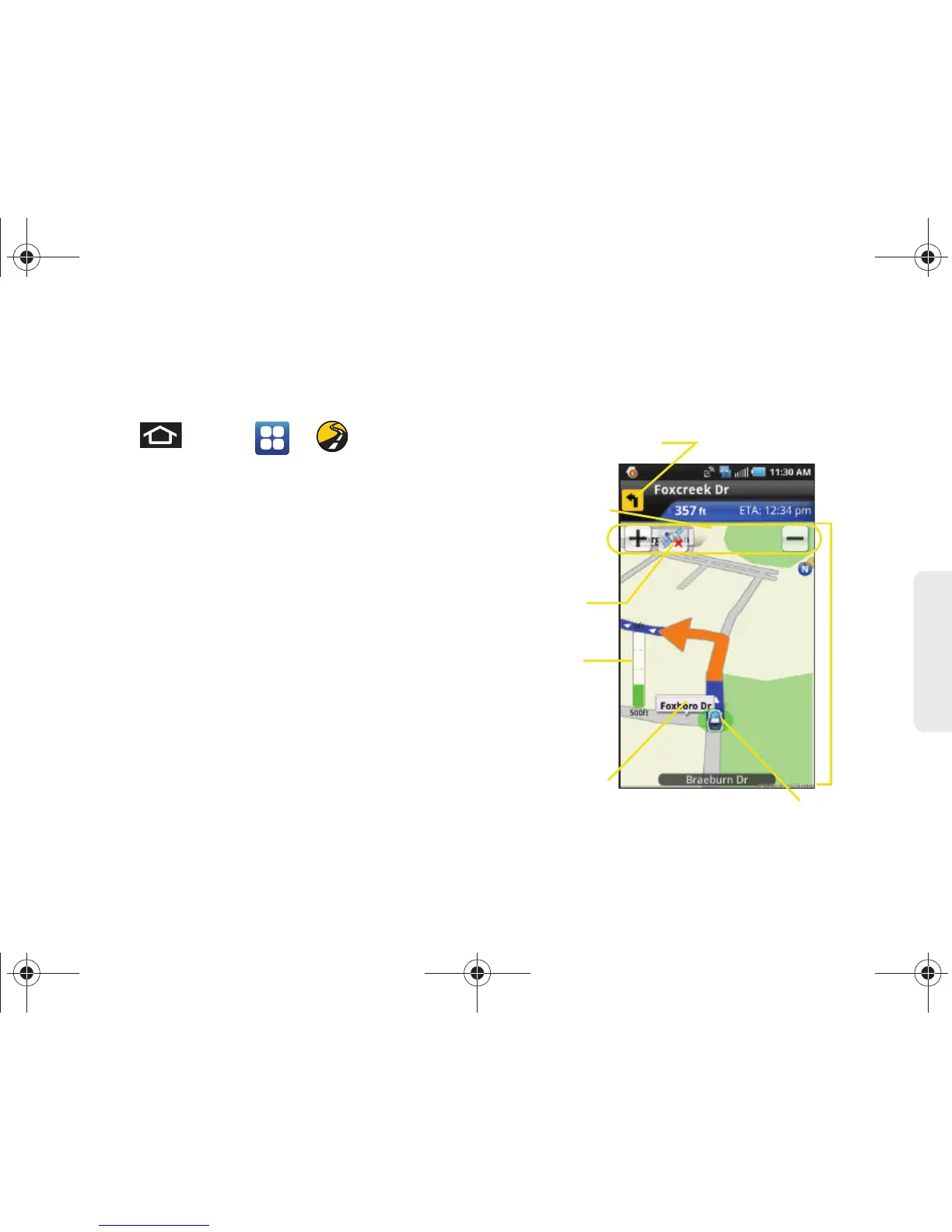
1. Press and tap > > Drive To >
Address.
2. Tap Type It to manually enter the new address and
receive driving directions from the GPS network.
– or –
Tap
Speak It to place a call to the TeleNav™
operator where you will speak the desired address.
This is similar to calling 411 for directory
assistance. (A fee may be incurred.)
3. Tap Address and then enter information (Address,
City, State/ZIP, and Country) into any of the address
fields.
4. Tap Done > Get Route to initiate your search. If
prompted to select from a list of matches, tap the
correct address.
5. Follow both the onscreen and audio directions.
After you enter the location and receive driving
directions, you can alter the information being
displayed by using one of three other driving options:
Traffic, Summary, and Search.






 To Next Page