2A. Device Basics 43
Device Basics
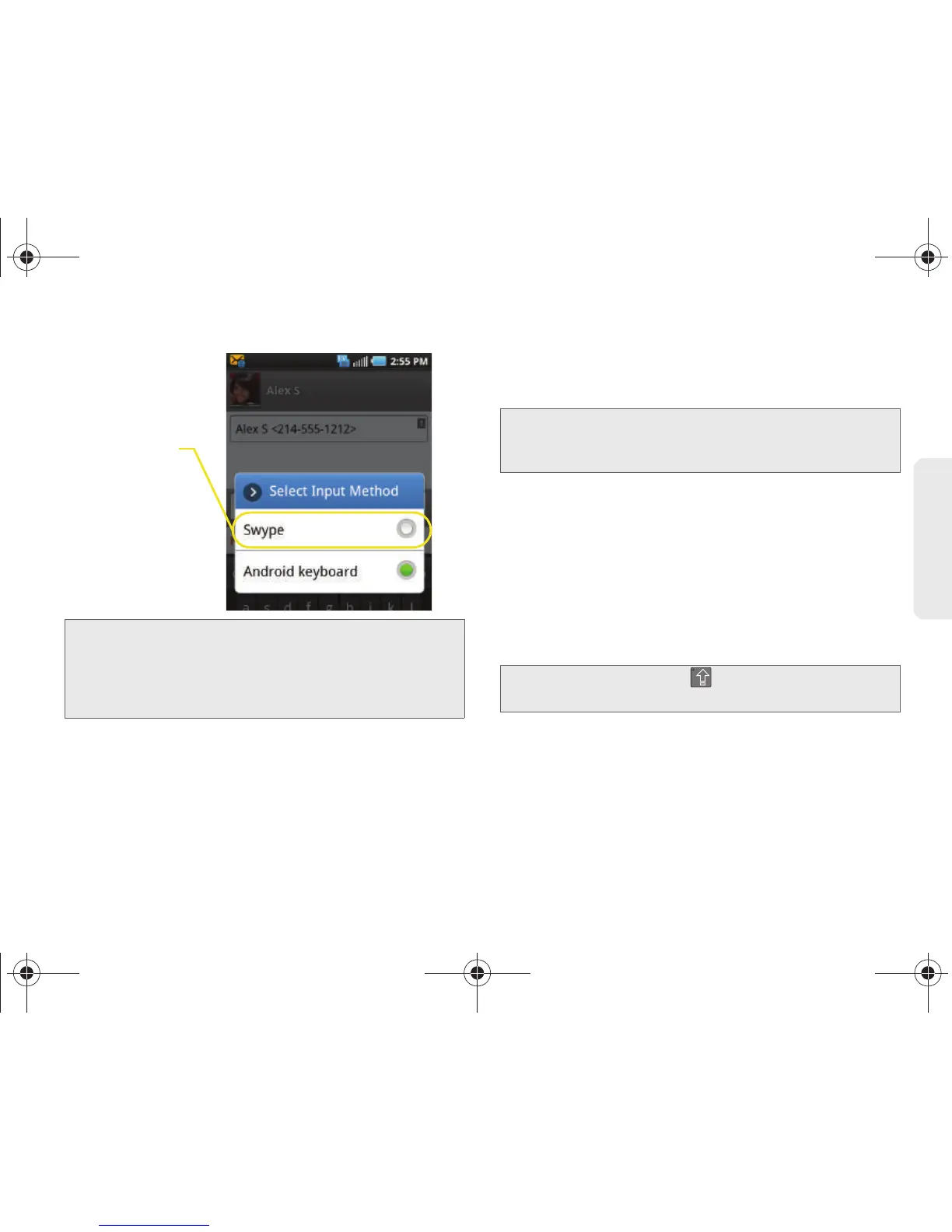
Selecting a Text Input Mode With the
Android Keyboard
1. From a screen where you can enter text, tap the
input field to reveal the onscreen keyboard.
2. With Android keyboard as your text entry method,
select one of the following text mode options:
䡲 ABC to use alphabetic characters from the
onscreen keyboard (See page 45.)
䡲 ?123 to enter numbers by pressing the numbers
on the onscreen keyboard. (See page 46.)
䡲 Voice Input allows the device to use its built-in
voice recognition software to hear your voice and
transcript it directly into text.
Note: Although the default text input method is the Swype
method, if Swype input is not enabled within the
device’s settings menu, it will not be provided as an
available input method option. (See “Entering Text
Using Swype” on page 46.)
Note: Some characters and types, such as some symbols
and emoticons, are not accessible from the onscreen
keyboard.
Tip: When entering text, tap to change letter
capitalization.
SPH-D700.book Page 43 Friday, October 8, 2010 12:03 PM



 To Next Page