
 Need help?
Do you have a question about the Samsung Galaxy j7 Crown and is the answer not in the manual?
Description of Bixby's voice command and assistance features.
Configure facial recognition for device security and unlocking.
Use two applications simultaneously on a split screen for multitasking.
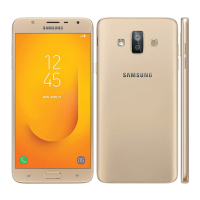
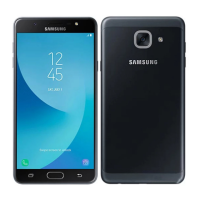
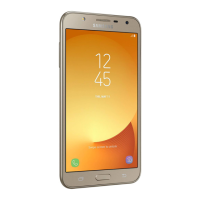
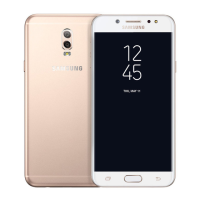
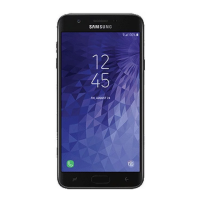
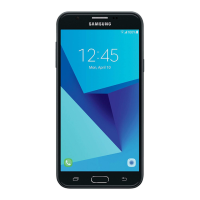
Diagram identifying the front components of the mobile device.
Diagram identifying the rear components of the mobile device.
Instructions for installing SIM and memory cards.
Guide on how to charge the device's rechargeable battery.
Steps to turn the device on and off for initial use.
Process for signing into or creating a Google account for device setup.
Explanation of touch gestures like tap, double-tap, and touch and hold.
Overview of the device's home screen layout and elements.
Guide to arranging app shortcuts, adding, removing, and managing screens.
Methods for entering text using the keyboard or voice input.
How to activate and use emergency features to conserve battery.
Accessing, launching, and managing preloaded and downloaded applications.
Using the calculator for basic and advanced arithmetic functions.
Managing events, tasks, and calendar views.
Instructions for taking pictures and recording videos with the device.
Storing, managing, and sharing contact information.
Creating, sending, and managing email accounts and messages.
Viewing, editing, and managing pictures and videos stored on the device.
Overview of popular Google applications available on the device.
Accessing the web using the Samsung Internet browser.
Sending and receiving text and multimedia messages.
Core functions for making, answering, and managing calls.
Detailed steps on how to initiate a phone call from the device.
Instructions for responding to incoming calls on the device.
Procedures for making emergency calls, including from a locked screen.
Setting up and using a private, encrypted space for data and apps.
Methods to navigate to the device's main settings menu.
Using the search function to locate specific device settings.
Connecting the device to Wi-Fi networks for internet access.
Pairing and managing Bluetooth devices for wireless communication.
Monitoring and managing mobile and Wi-Fi data consumption.
Activating and configuring the device as a Wi-Fi hotspot.
Configuring location services and managing location requests.
Steps to connect the device to a printer over a Wi-Fi network.
Switching between sound, vibrate, and mute modes for notifications.
Adjusting volume levels for ringtones, media, and other audio.
Choosing and setting custom ringtones for calls.
Configuring quiet times to mute notifications and sounds.
Allowing or blocking notifications from apps and services.
Adjusting screen brightness for optimal viewing and battery conservation.
Customizing text size, font style, and screen zoom levels.
Adjusting the screen layout for easier one-handed operation.
Improving device performance by cleaning memory and scanning for malware.
Viewing battery usage and enabling power saving modes.
Managing device memory, including SD card operations.
Configuring device language, keyboard, and voice input settings.
Options for resetting device settings to defaults.
Restoring the device to its original factory settings, erasing all data.
Checking for and installing available software updates for the device.
Setting up different screen lock methods for device security.
Protecting the device from loss or theft using Google's service.
Allowing the installation of apps from sources other than the Play Store.
Protecting data on the memory card by encrypting it.
Securing the SIM card with a PIN for unlocking and use.
Backing up and restoring data using Samsung's cloud service.
Process for adding various types of accounts like email and social networks.
Configuring data backup and restoration for Samsung and Google accounts.
Features to assist users with visual impairments, like Voice Assistant.
Features to assist users with hearing impairments, like flash notifications.
Features for users with dexterity or interaction challenges.
Accessing user manuals and support resources for the device.
Using two separate accounts for the same application.
Viewing device information, status, and software versions.
Important legal notices and terms of use for the mobile device.
Information regarding product warranties and Samsung's liability.
 General
| RAM | 2 GB |
|---|---|
| Operating System | Android 8.0 Oreo |
| Colors | Black |
| Display | 5.5 inches, 720 x 1280 pixels |
| Processor | 1.6GHz Octa-Core |
| Storage | 16 GB |
| Rear Camera | 13 MP |
| Front Camera | 5MP |
| Battery | 3300 mAh |
| SIM | Single SIM (Nano-SIM) |







 To Next Page
