Settings Device Settings 250
l Reset app preferences:Resetoptionsthathavebeenchanged.Existingappdataisnot
deleted.
Note:Optionsvarybyapplication.
Manage Apps
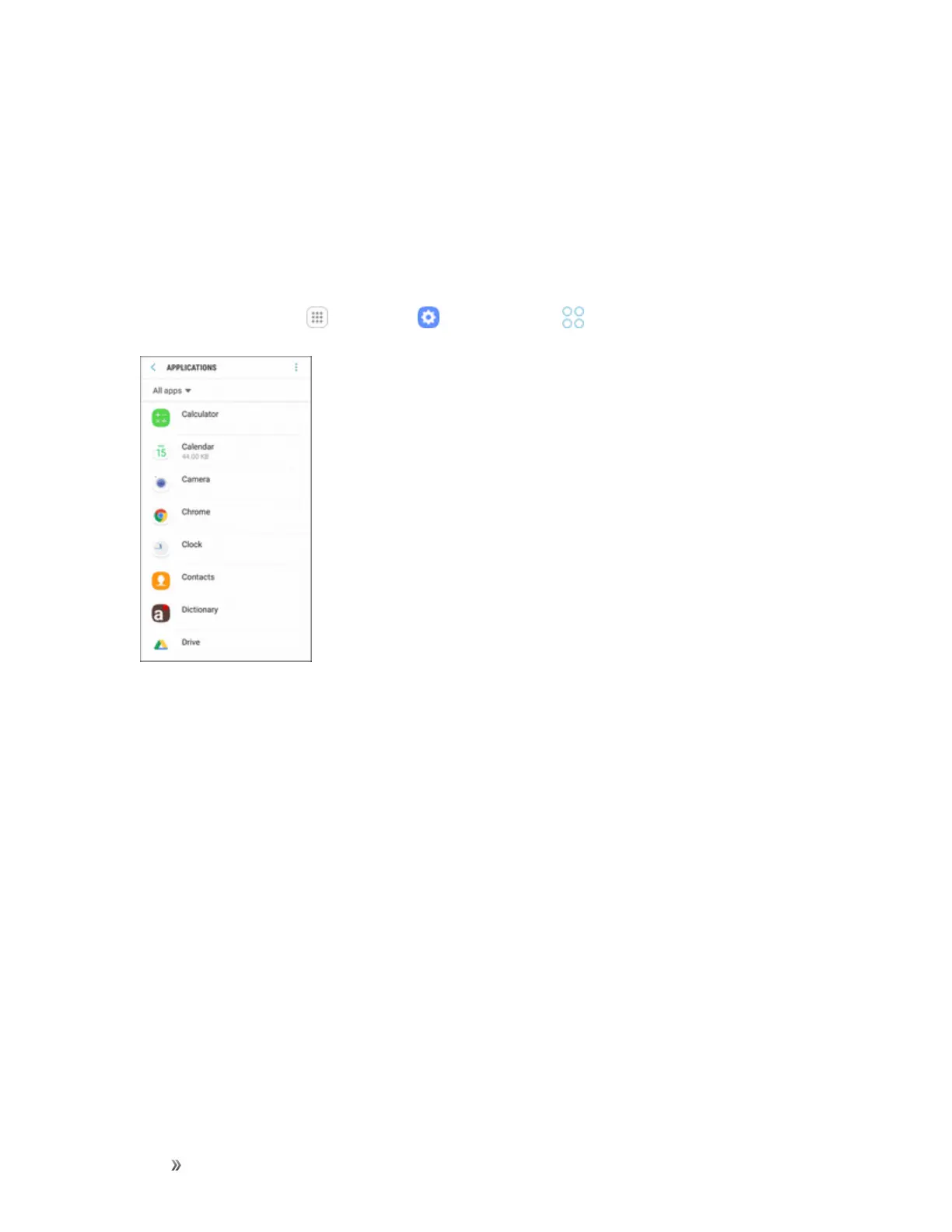
Youcanviewandupdateinformationaboutanapplication,includingmemoryusage,default
settings,andpermissions.
1.
Fromhome,tapApps >Settings >Applications .
2. Tapanapplicationtoviewandupdateinformationabouttheapplication.Thefollowingoptions
aredisplayed:
l Uninstall/Disable:Uninstallordisabletheapplication.Preloadedappscanonlybe
disabled.
l Force stop:Stopanappthatismisbehaving.Restartyourdeviceifstoppinganapp,
process,orservicecausesyourdevicetostopworkingcorrectly.
l Mobile data:Viewmobiledatausage.
l Battery:Viewbatteryusagesincethelastfullcharge.
l Storage:Managetheapp’sstorageusage.
l Memory:Viewmemoryusage.
l Notifications:Configurenotificationsfromtheapp.
l Permissions:Viewpermissionsgrantedtotheappforaccesstoyourdevice’sinformation.
l Set as default:Settheappasadefaultforacertaincategoryofapps.












 To Next Page