44
Connecting and Using a Source Device
2
2 Connecting and Using a Source Device
2.2 Connecting and Using a PC
2.2.1 Connecting to a PC
z Do not connect the power cable before connecting all other cables.
Ensure you connect a source device first before connecting the power cable.
z A PC can be connected to the product in a variety of ways.
Select a connection method suitable for your PC.
Connecting parts may differ in different products.
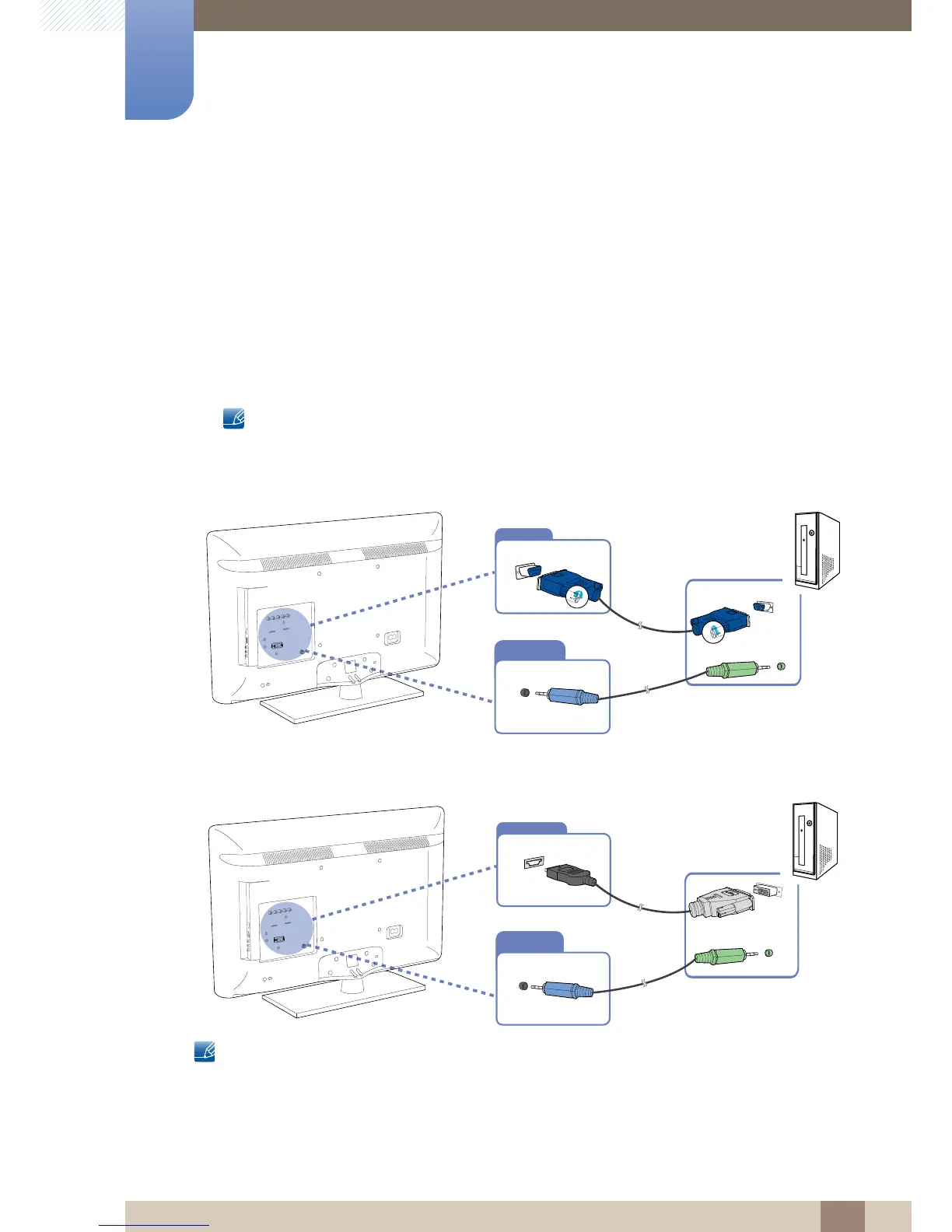
Connection using the D-SUB cable (analog type)
Connection Using an HDMI-DVI Cable
When you connect a PC to the product using an HDMI-DVI cable, set Edit Name to DVI PC to access
video and audio content stored on the PC.





 To Next Page